CNC Tube & Pipe Plasma Cutter
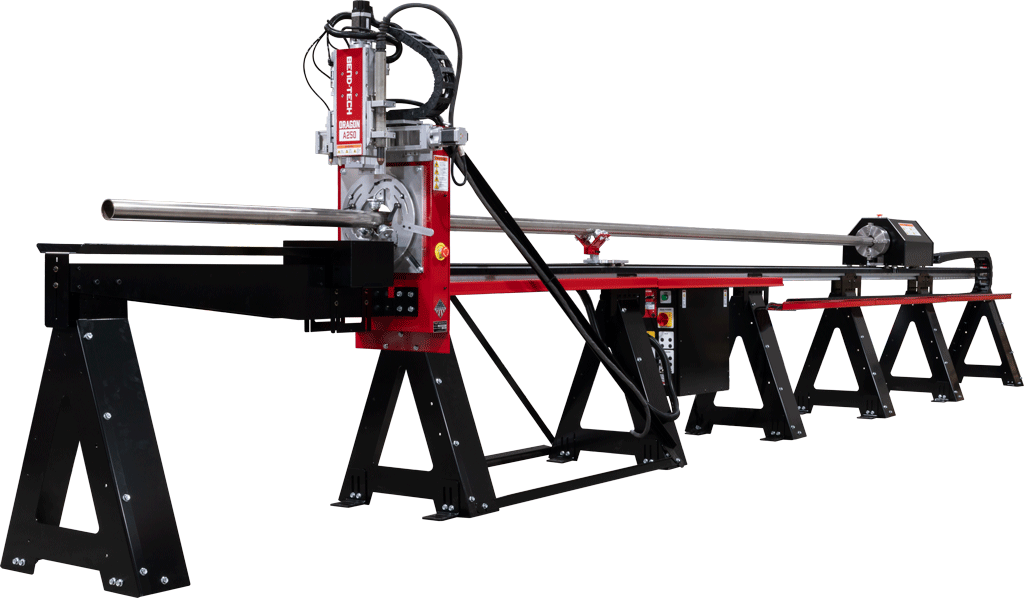
Dragon A250: Automating Manual Processes for Round Profiles
Round Material
Cut Round Tubes: 0.75″ – 4″
260 lbs
Material Weight Capacity
21 ft
Standard Material Length Capacity
(Custom Lengths Available)
Automatic Toolhead
Plasma cutting head and pneumatically actuated marker and engraver
Manufactured in Wisconsin, USA
Dragon A250 Overview
CNC Automation to Improve Bottom Line
Coolant vs. No Coolant Cutting
How the Dragon A250 Automates Round Tube and Pipe Fabrication
The Dragon A250 and integrated Dragon CAD/CAM enable the design, fabrication, and repeatability of single parts and assemblies with precision and consistency for round tube and pipe applications.
Engineered, designed, and manufactured in Osceola, Wisconsin, the Dragon A250 cuts holes, miters, and copes out of almost any electrically conductive metal. Purpose-built for round tube and pipe, the A250 delivers a focused, production-ready solution for operations handling only round material. Integrated marking and engraving capabilities support bend marks, part identification, and text to improve operations in the workflow.
From general tube and pipe fabrication to specialized environments, the Dragon A250 provides a streamlined CNC plasma cutting solution for consistent, repeatable production of round material.
Production Advantages of the Dragon A250
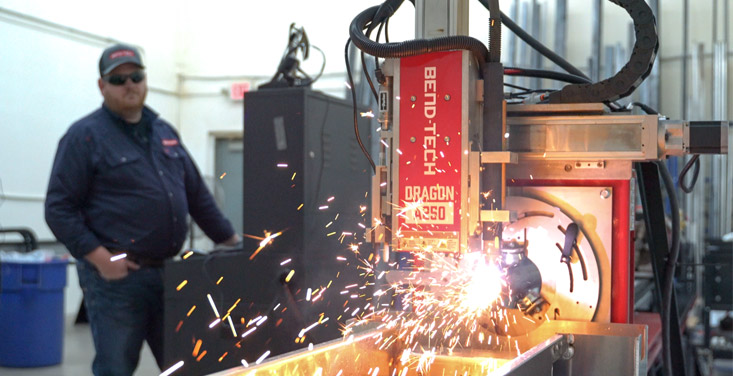
Faster Production, Less Waste
CNC-controlled cutting reduces cycle time and material waste compared to manual cutting methods, allowing more parts to be produced with less rework.
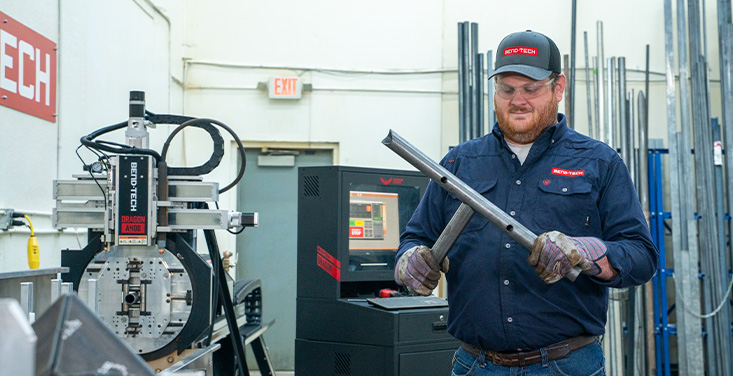
CNC Accuracy and Repeatability
Plasma cutting delivers clean, consistent cuts run-after-run without the high cost of a laser, reducing time spent on post-cut cleanup. Parts fit together as intended the first time.
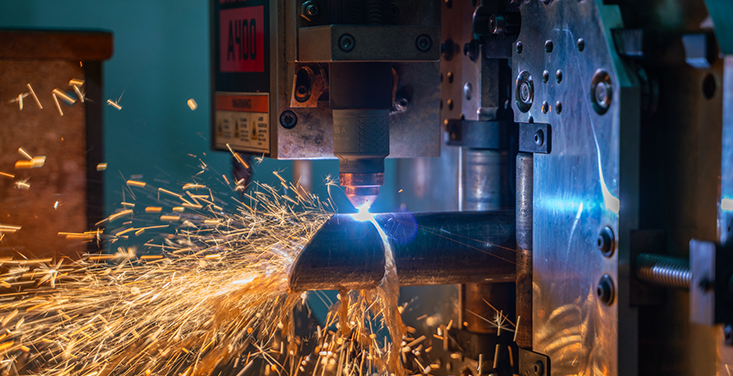
Marking Built Into the Cut
Bend marks, fit-up marks, and part IDs get added right onto the material before the cutting process, spend less time measuring and marking by hand before assembly.
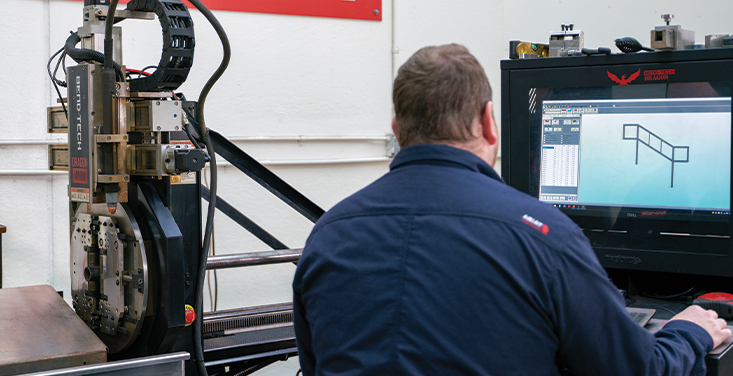
Design Software Built In-House
Dragon CAD/CAM imports STEP files from existing designs, auto-nests your parts, and gives full machine control to the operator. Standard on all Dragon tube plasma systems.
Evaluate the Dragon A250 Before You Buy
Bend-Tech offers several pre-purchase evaluation options to help assess fit, performance, and cut quality before making an investment. These services provide clear insight into how the Dragon A250 cutting system integrates into existing workflows and meets the needs of fabricators.
Dragon A250 Material Capabilities
Material Size

- Round: 0.75 inch (19mm) – 4 inch OD (101.6mm)
Material Types

- Mild Steel
- Stainless Steel
- Galvanized Steel
- Aluminum
- Black Pipe
- Chrome Alloy
- Any electrically conductive metal.
Material Weight & Thickness

Material thickness: 1/32 inch (0.79mm) – 5/8 inch (15.8mm)

Maximum weight capacity: 260 lbs (118 kg)
Material Length
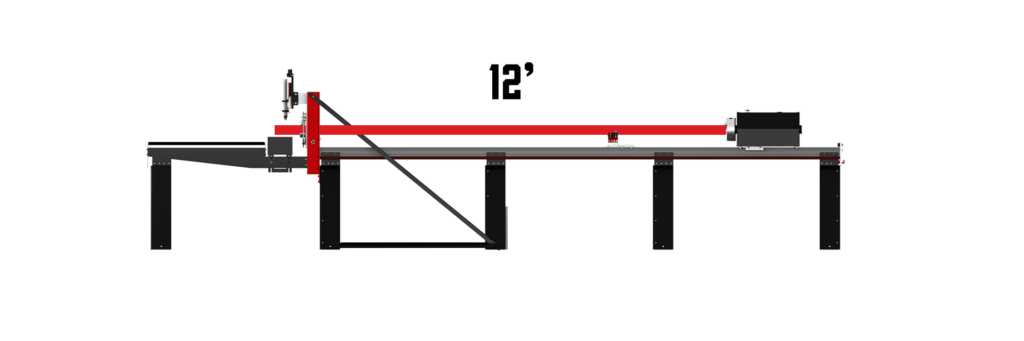
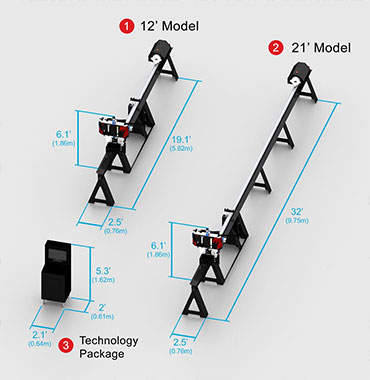
12-Foot Dragon A250: Handles material up to 12 ft (3.65 m) long.
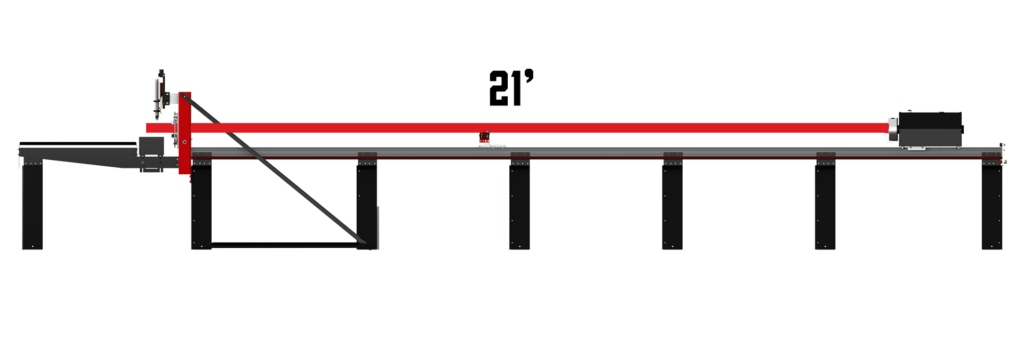
21-Foot Dragon A250: Handles material up to 21 ft (6.4 m) long. (Custom machine lengths available)
Dragon CAD/CAM: Design-to-Cut Automation for Tube and Pipe Fabrication
Dragon CAD/CAM is developed in-house by Bend-Tech for use on the CNC tube and pipe plasma cutters, including the Dragon A250. The software imports STEP and IGES files from most third-party CAD programs, like SolidWorks, AutoCAD, and Fusion, then converts geometry into a CAM-ready file. Auto-nesting, bend mark calculations, and springback compensation built-in. Fit-up, bend marks and part IDs are generated automatically as part of the same file, which can be auto-nested and saved for repeat production runs.
Every Dragon Plasma Cutter comes standard with the powerful Bend-Tech Dragon Software.
Dragon CAD: Tube and Pipe Design Software
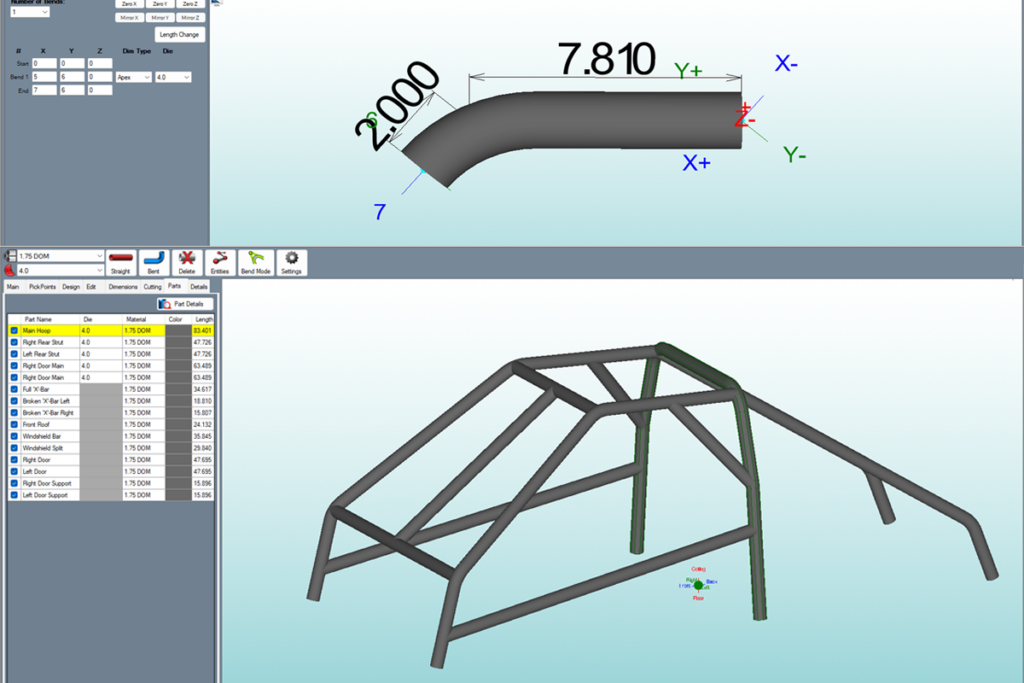
Single Part & Assembly Designer
Design single parts or complex assemblies with advanced dimensioning and 3D visualization.
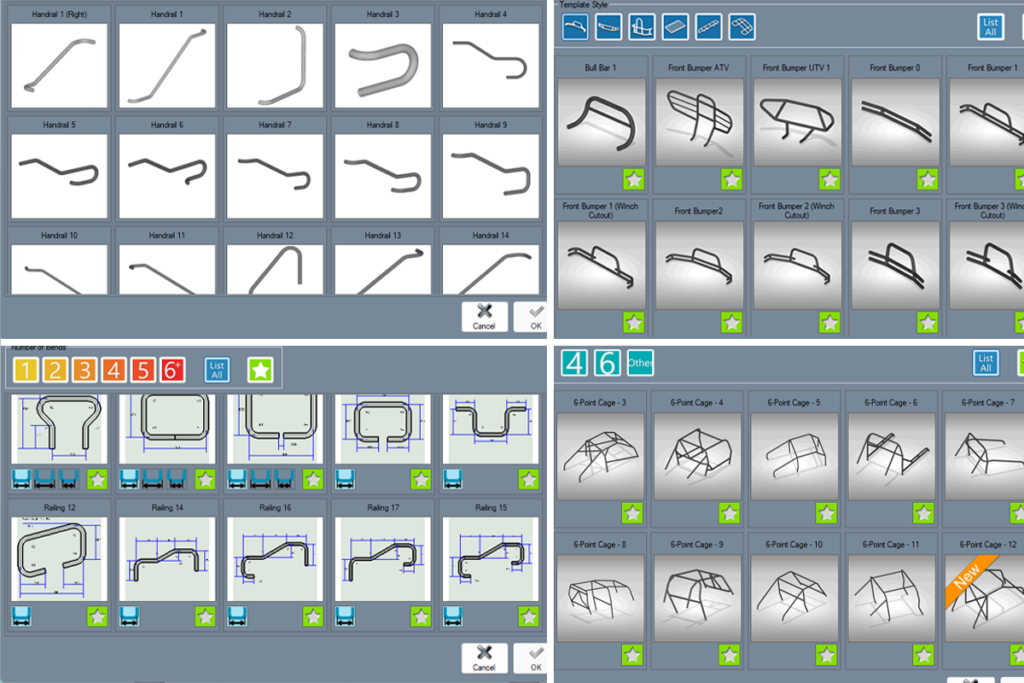
Premade Template Library
Quickly get started with a selection of pre-built templates designed to save time. Simply select a material, enter the dimensions, and ready-to-cut part(s) will be automatically generated.
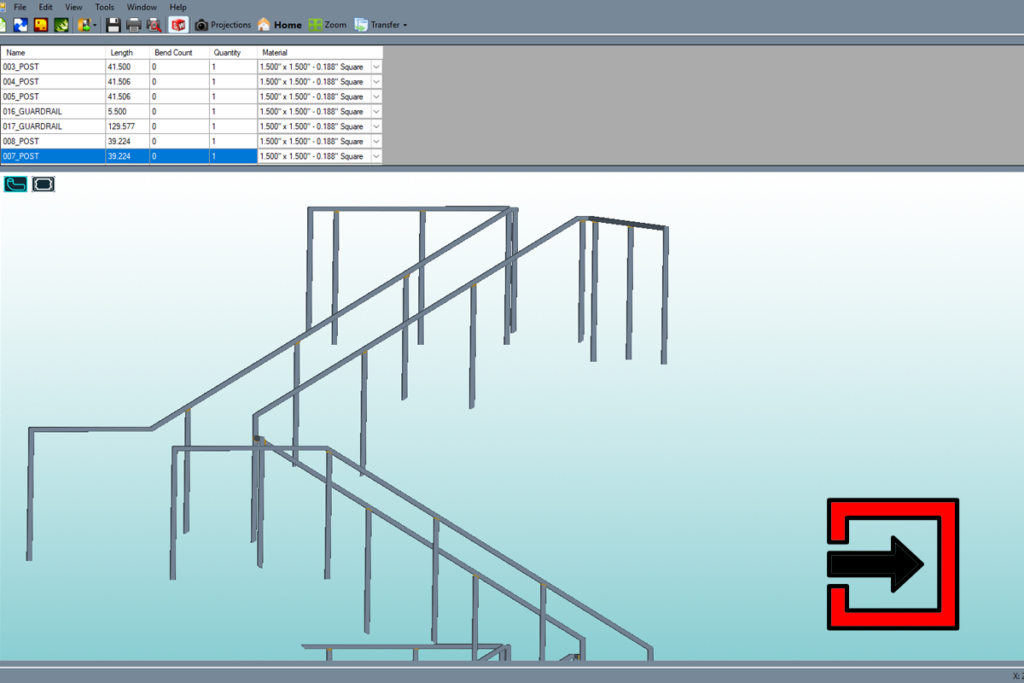
CAD File Import
Import existing CAD files (.STEP) from third-party programs into Dragon CAD using the auto-import feature. Saddle marks and cut geometry are automatically generated, making it easy to review, edit, and fine-tune parts.
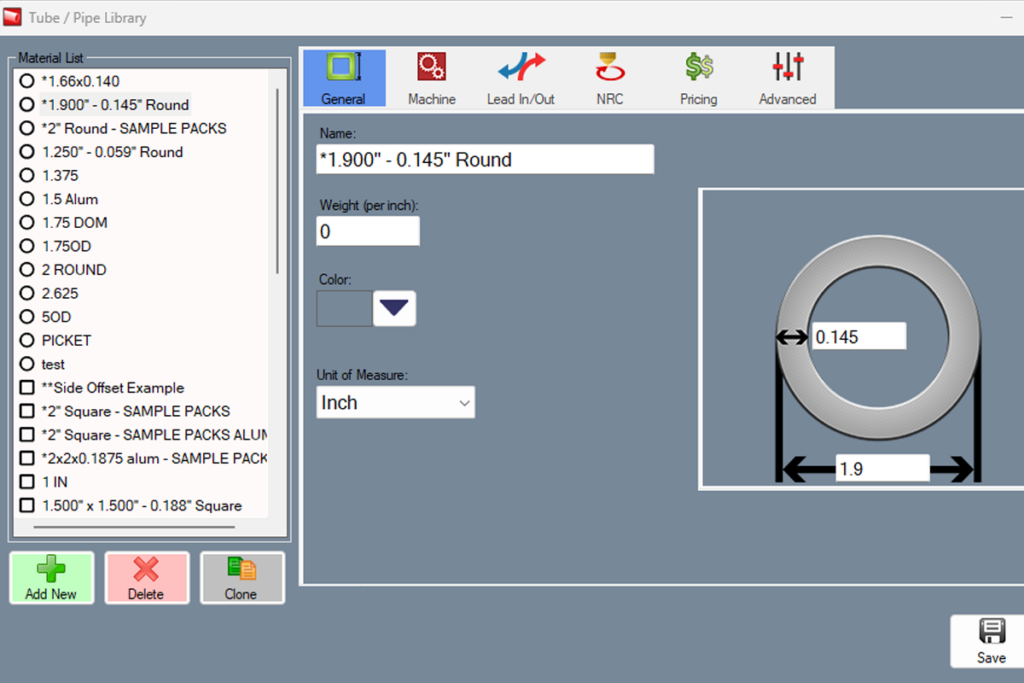
Integrated Libraries
Manage dies, materials, and springback with integrated libraries. Customize individual settings to fine-tune fabrication processes.
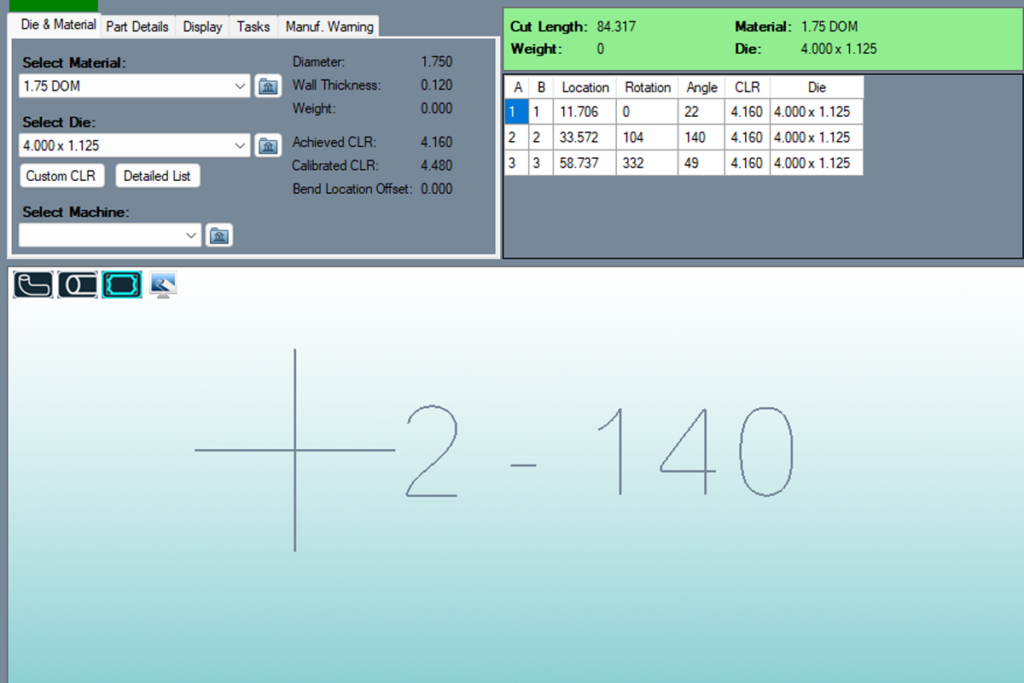
Automated Bend Marks
Calibrating both the bender and its die ensures precise and accurate bend mark placement. This process accounts for the unique characteristics of every machine, making reliable and repeatable results readily achievable.
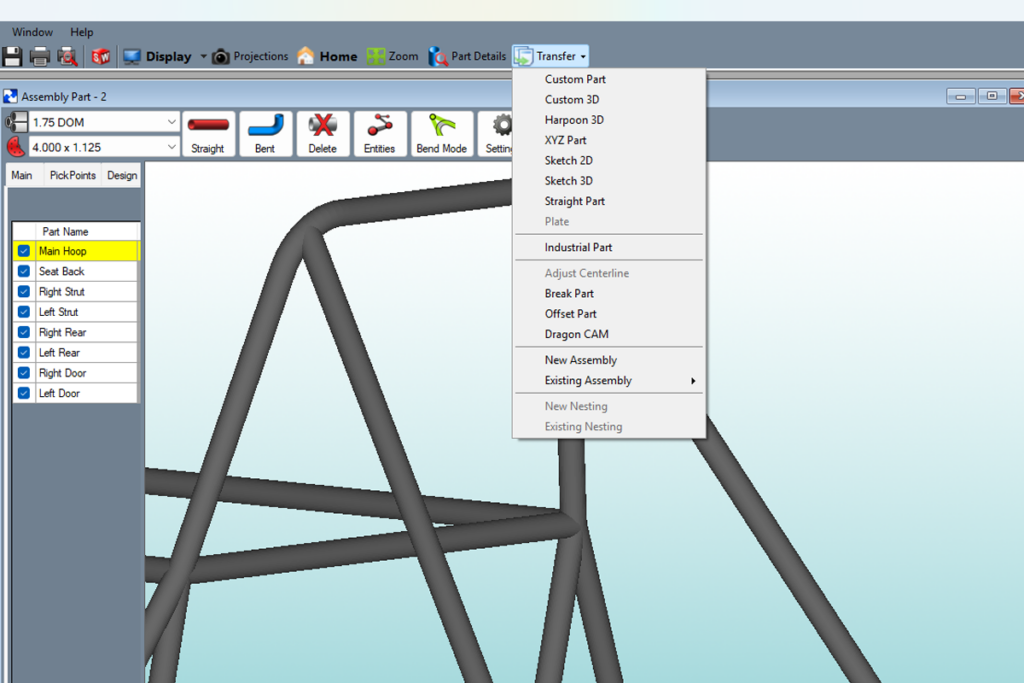
Integrated CAD-CAM Transfer
Keep workflow fast, simple, and connected from design to production by seamlessly transferring parts from Dragon CAD to Dragon CAM in just two clicks. This direct integration eliminates manual file handling and reduces the chance of errors when transferring parts.
Dragon CAM: Direct Import, Automated Nesting and Full Machine Control
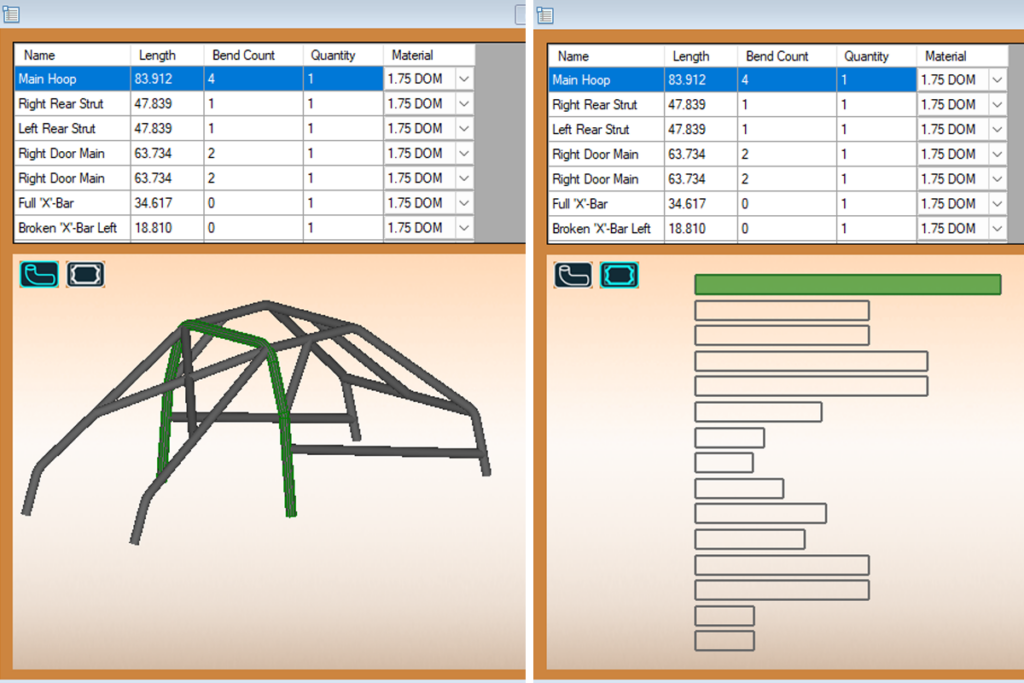
.STEP Import
Import .STEP files from third-party software directly into Dragon CAM using the integrated import feature. Cut geometry is automatically applied and all part IDs and associated information are retained for more streamlined importing.
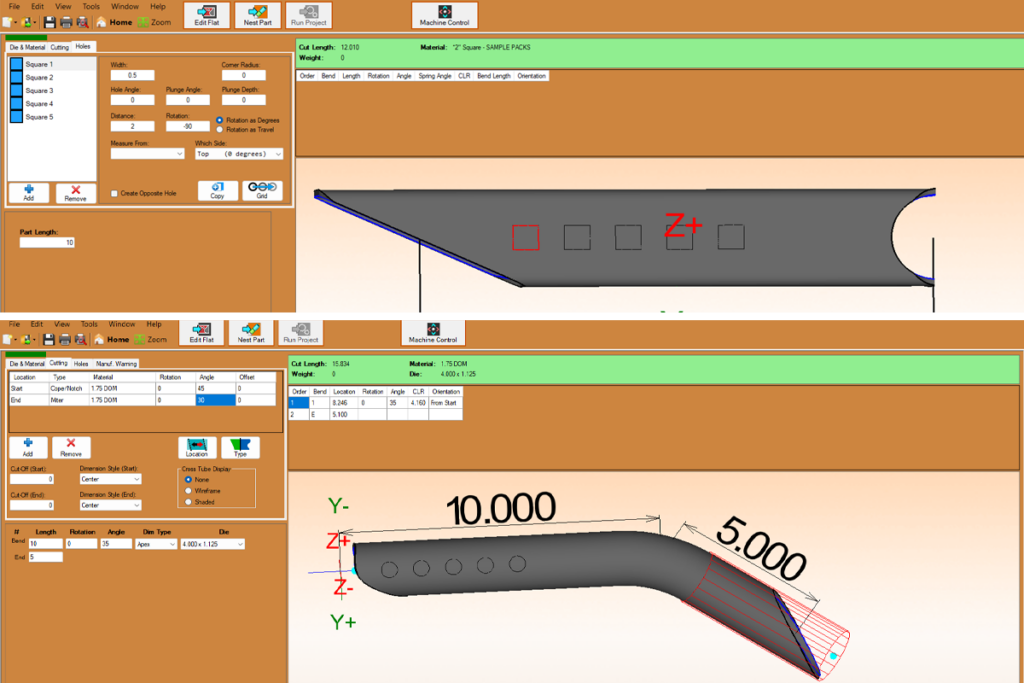
Straight and Bent Part Designer
Quickly design straight or bent parts directly in Dragon CAM. The option to add holes, miters, and copes gives users full flexibility to create and customize parts as needed.
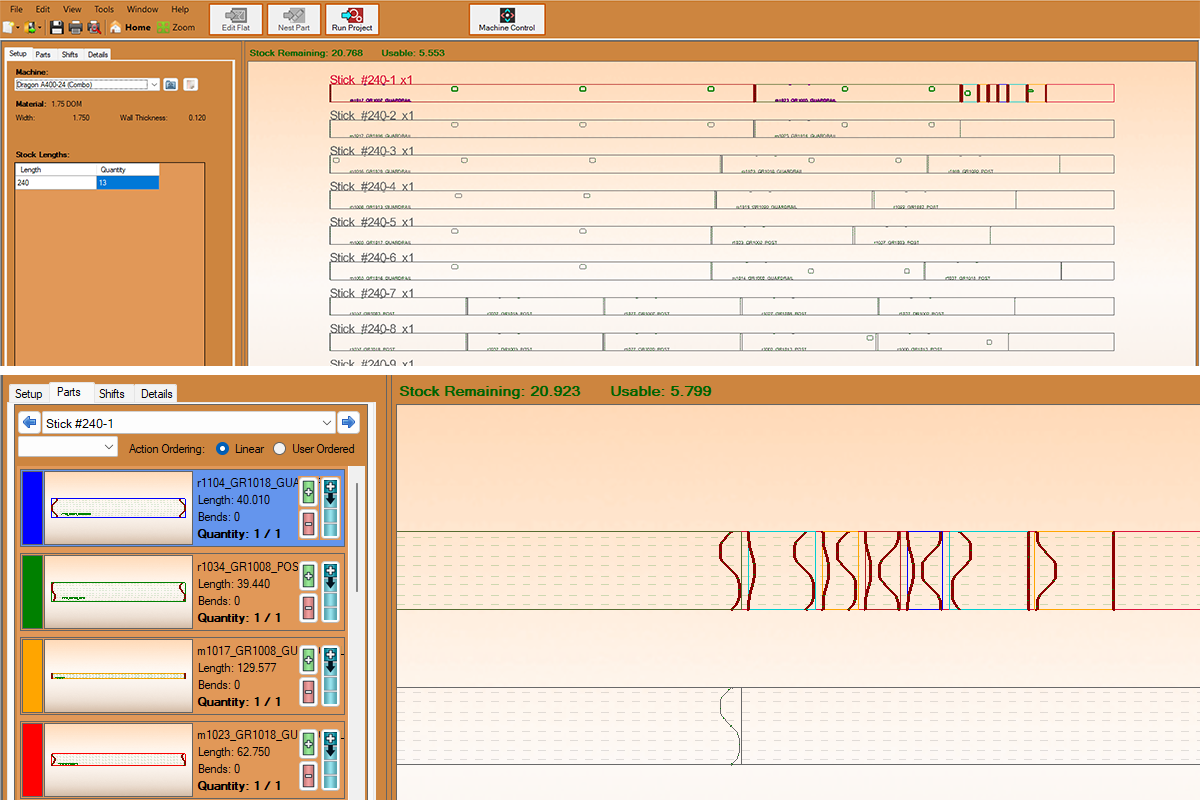
Auto-Nest Feature
The Auto-Nest feature automatically arranges parts to maximize material usage and minimize waste. Dragon CAM analyzes each part and positions them to optimize cut paths, saving time and improving efficiency in the fabrication process.
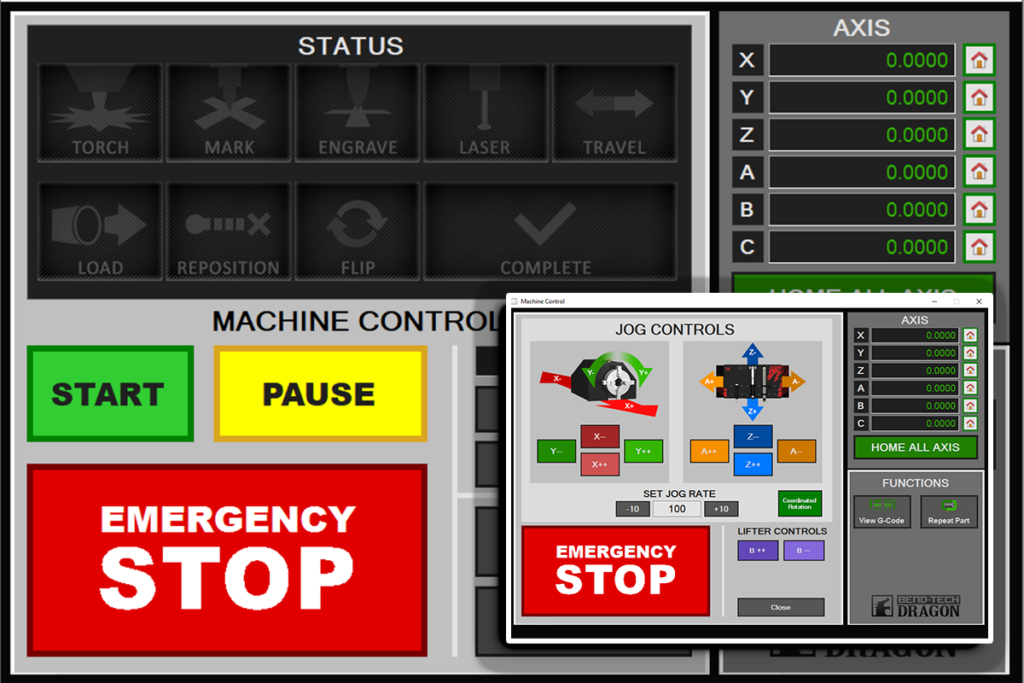
Complete Machine Control
The integrated machine control system is designed to simplify operation and put complete control in the operators’ hands. A single, well-organized interface allows precise adjustments across all axes, while illuminated action buttons provide clear visual feedback. This ensures that operators always know the machine’s status.
The machine control system runs on G-code powered by Mach3.
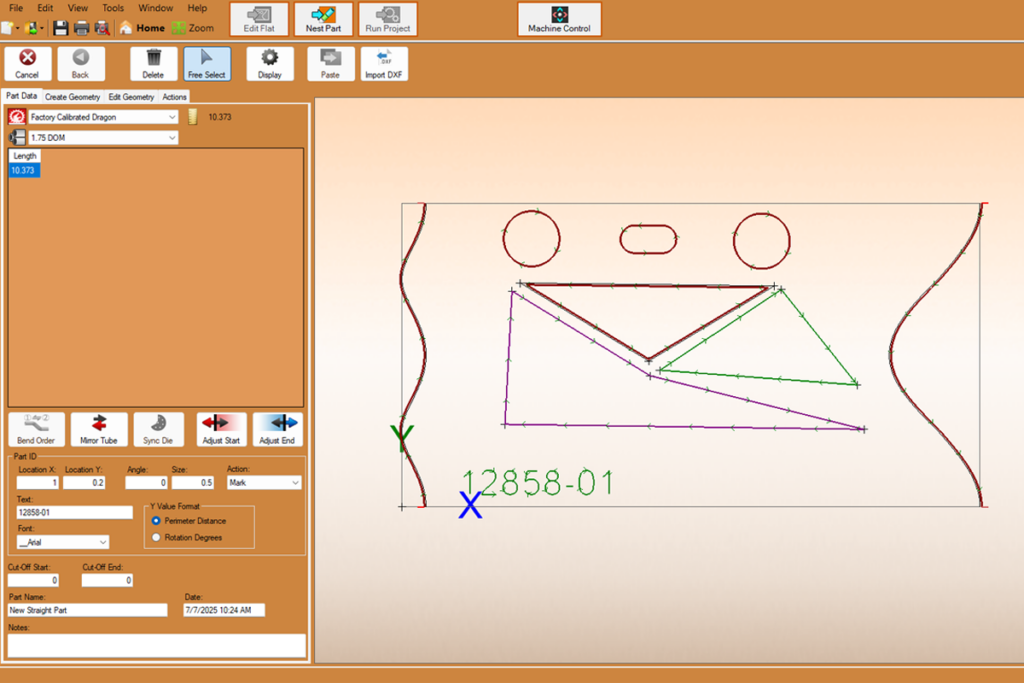
Flat View Designer
The Flat View Designer presents material in an unrolled 2D format, allowing users to fine-tune cut paths, adjust lead-ins and lead-outs, add text, holes, and custom geometry. Users can easily customize and reorder operations, creating a workflow that improves efficiency and supports the unique demands for each project.
Material Loading and Setup Process
Material can be loaded from either the front or side of the machine, giving shops flexibility to fit the Dragon A250 into existing floor layouts and workflows.
Front Gate
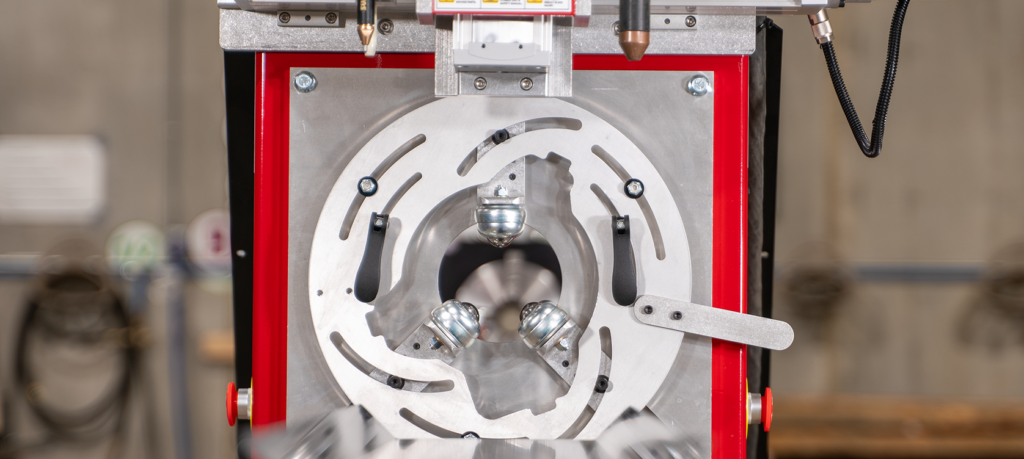
The front gate has two clamps that can be opened and tightened, allowing for material up to four inches. Once adjusted, the front gate holds position, allowing operators to run the same size material without having to adjust the gate with each new stick.
Material Support Lifter
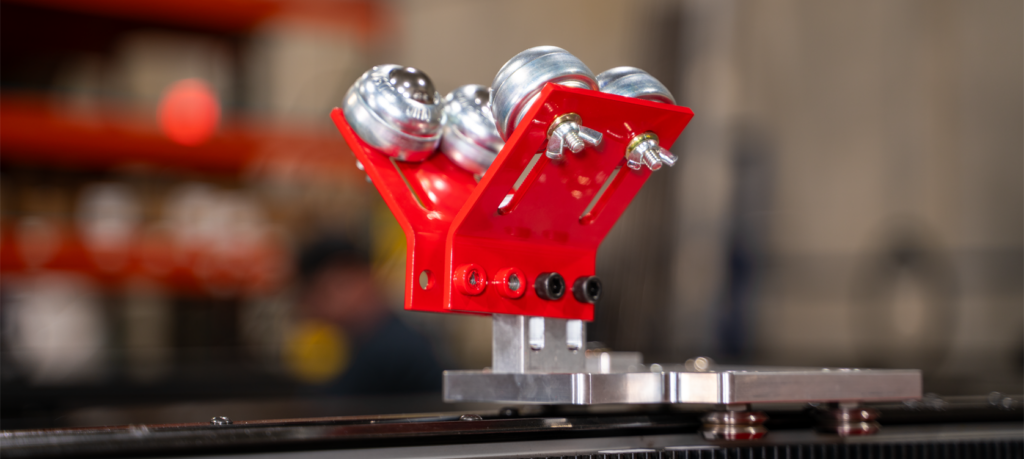
The Material Support Lifter prevents any bowing or flexing of material midway through the bed length, ensuring precise cutting tolerances at the front gate. The lifter slides freely along the bed, ensuring constant material support during the cutting process.
Chuck
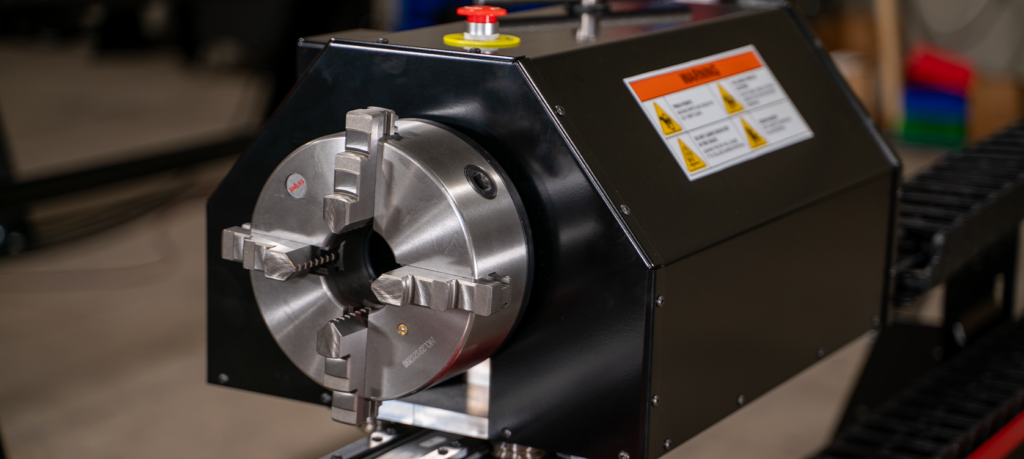
The rear chuck features a four-jaw, self-centering design with a 2” OD pass-through, providing a strong and secure hold on the material throughout the cutting process.
Combine Multiple Processes with the Automatic Toolhead
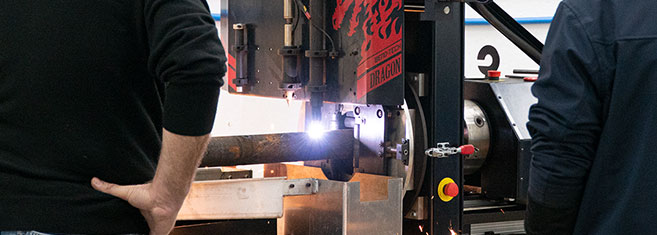
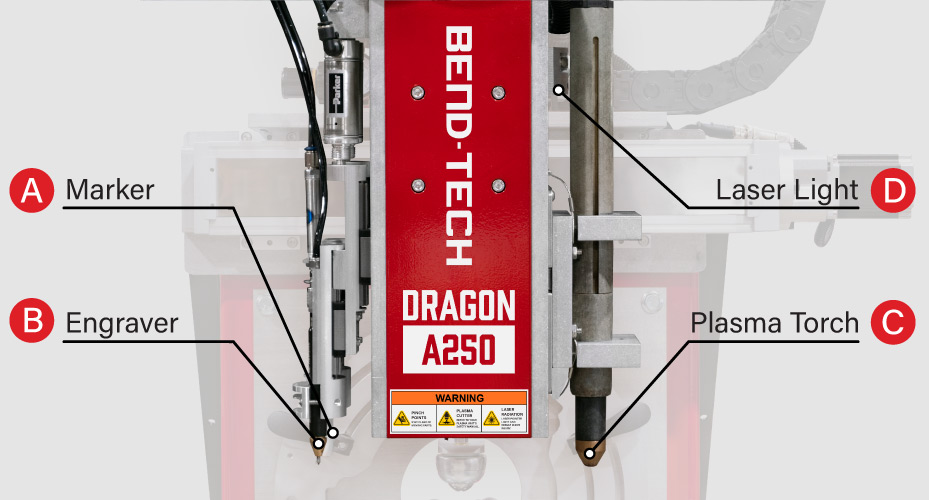
The Dragon A250 is equipped with a mechanized plasma torch, pneumatically actuated marker and engraver, and a laser alignment light. Material comes off the machine cut, marked, and labelled in one automated process, cutting down the manual work needed to prep parts for welding or assembly.
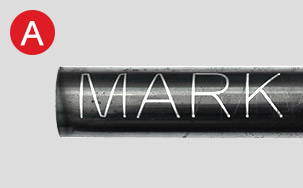
Mark
Mark bend location and rotation, saddle fitment marks, part number/ID, text, and more. Reducing human error and improving accuracy during assembly.
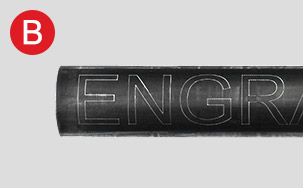
Engrave
Engrave bend location, bend rotation, permanent saddle fitment marks, part number/ID, text, and more.
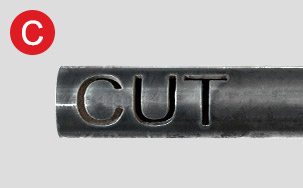
Cut
The plasma torch handles all cutting operations from holes and end cuts to complex geometry, delivering consistent, weld-ready parts.
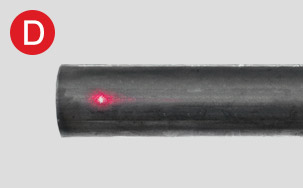
Align
A laser guide light indicates the initial pierce position of the plasma torch, ensuring the material is properly aligned in the machine prior to cutting.
Round Tube Processing with 4 Axes of Machine Control
Interpolated Motion Across 4 Axes
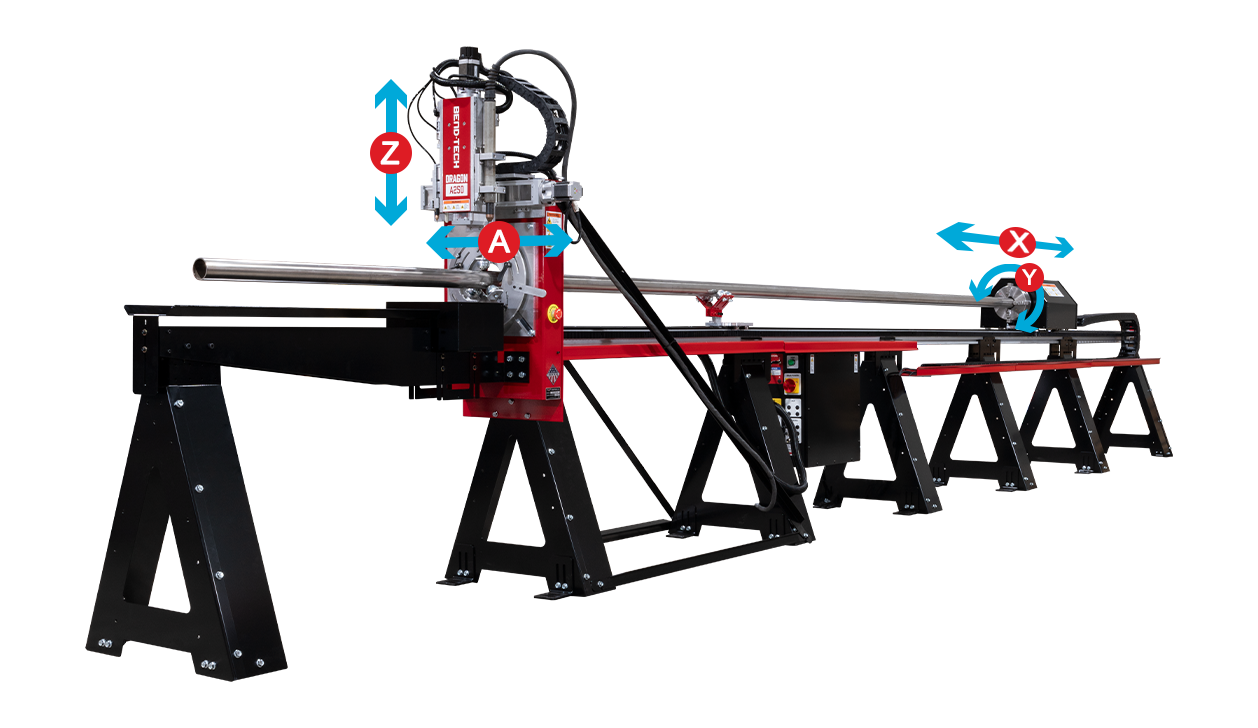
A & Z Axes
Control vertical and horizontal movements of the toolhead for precision cutting, marking, and engraving.
Y Axis
Responsible for rotation of material in the back chuck.
X Axis
A precision rack and anti-backlash pinion drive system moves the material along its length.
Expand Dragon A250 Capabilities with Modular Options
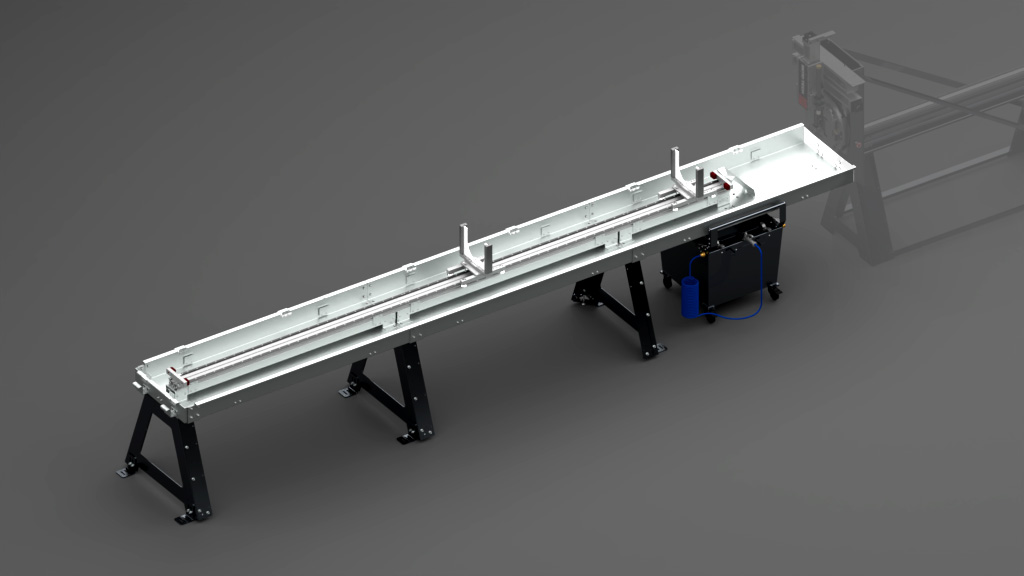
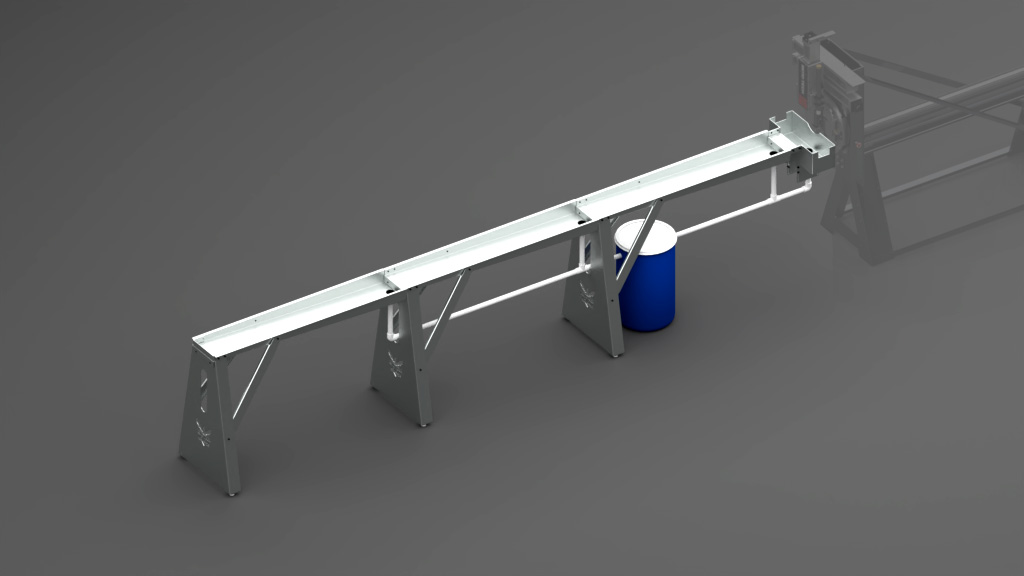
Coolant Support System
- Coolant circulates continuously through the material during cutting, reducing dross, slag, and exhaust fume buildup.
- Rapid heat exchange rate cools parts during the cutting process, reducing handling time immediately post-cut.
- Durable, non-marring supports make loading and unloading large or heavy material easier.
- Supports hold longer or heavier parts at a consistent height out of the front gate, maintaining positioning throughout the cutting process.
- 30-gallon reservoir, pump, and filter.
Material Coolant System
- Increases cut quality by circulating coolant through the material.
- Reduces dross, slag, and smoke buildup.
- A coolant system is recommended when cutting aluminum, stainless steel, or tubing with a small OD.
- 10-Gallon reservoir.
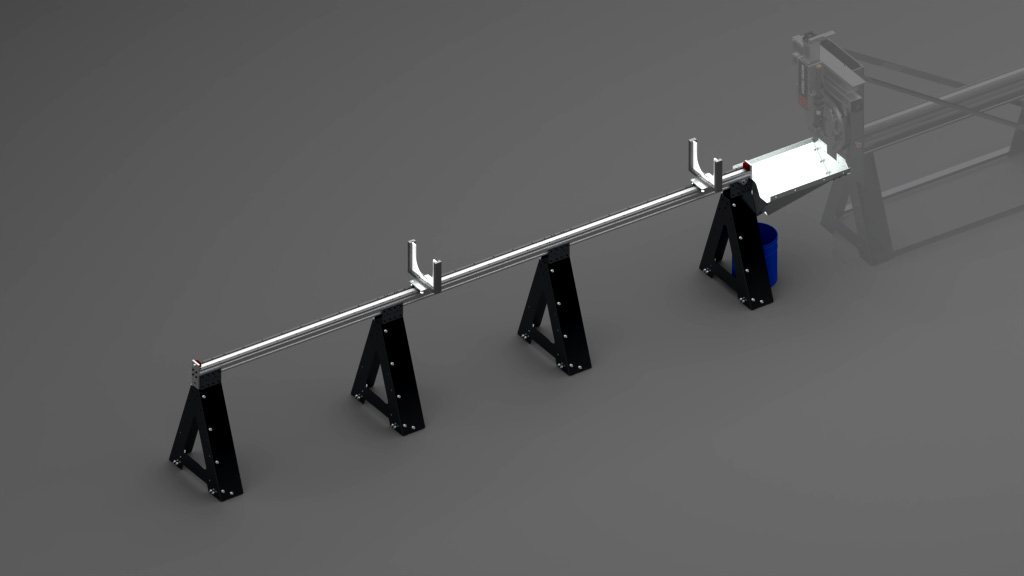
Dry End Support System
- Supports long and heavy parts as they move through the front gate.
- Assists in loading and unloading of long and heavy material.
- Maintains material centerline after passing through front gate by eliminating any bow and flex in the material.
- Quick-release supports allow for fast changes between material size supports.
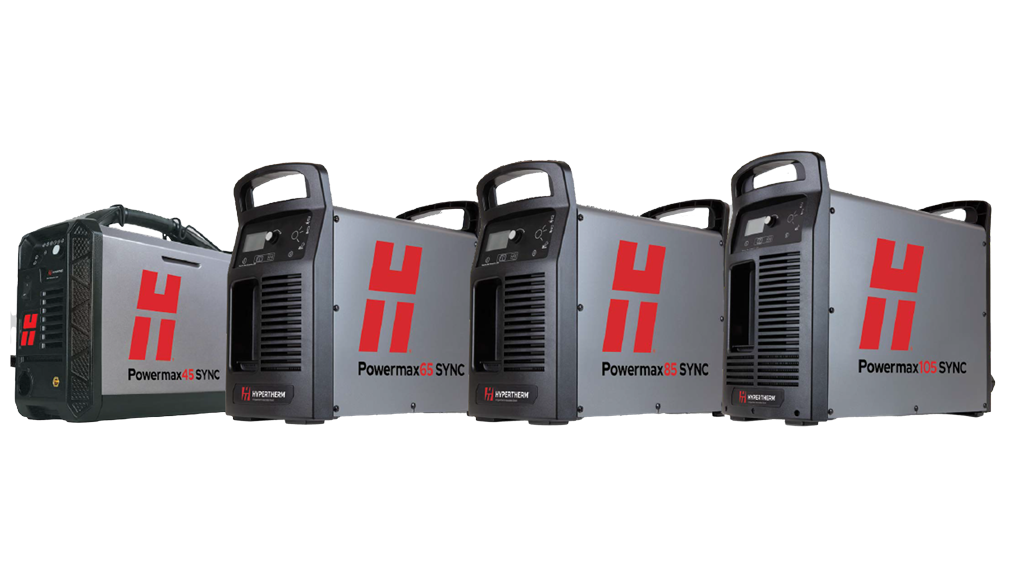
Plasma System
- Bend-Tech is an authorized Hypertherm dealer. With our machine you will have the option to use:
- Hypertherm Powermax45 SYNC
- Hypertherm Powermax65 SYNC
- Hypertherm Powermax85 SYNC
- Hypertherm Powermax105 SYNC
To best decide which plasma system best fits your needs, speak with a Bend-Tech salesperson or submit an online inquiry.
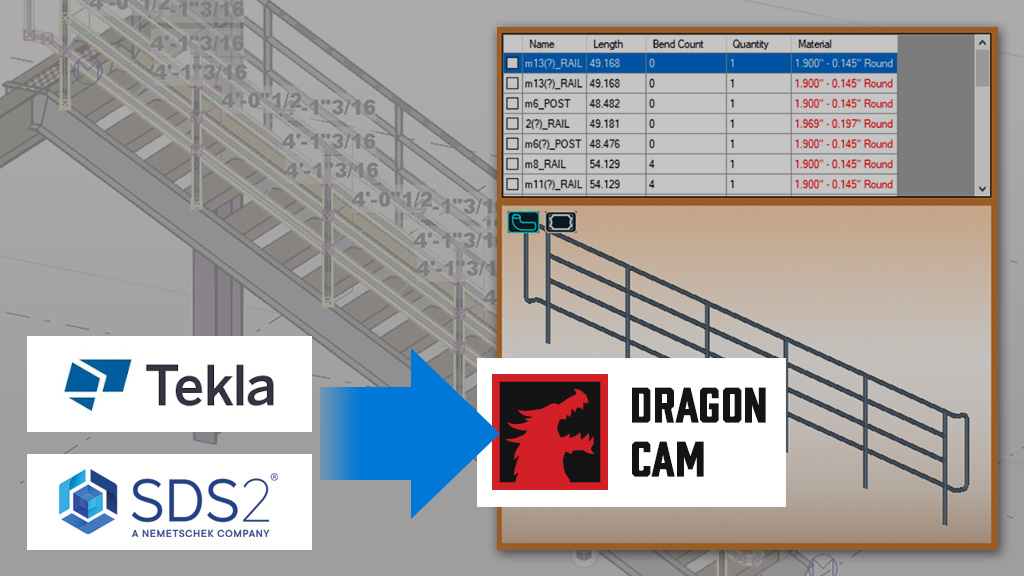
Tekla & SDS2 Transfer Tool
- The Tekla and SDS2 Transfer Tool Plugin for Dragon CAD/CAM:
- Easily transfer parts from Tekla or SDS2 directly into Dragon CAM with no redesign required.
- Select desired parts within Tekla or SDS2, click the transfer tool and a cut-ready file will automatically generate.
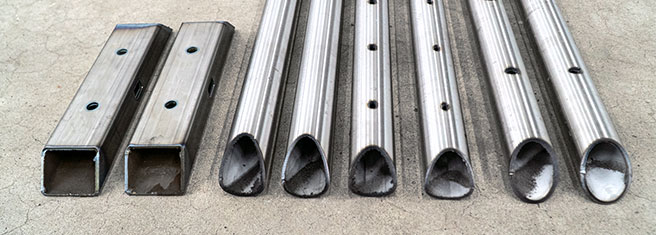
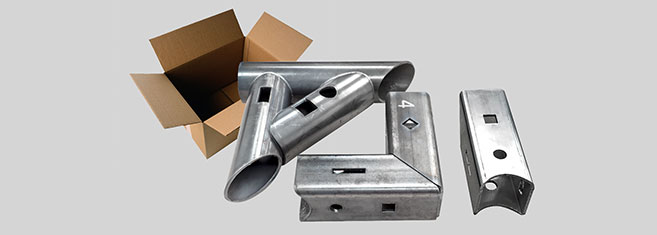
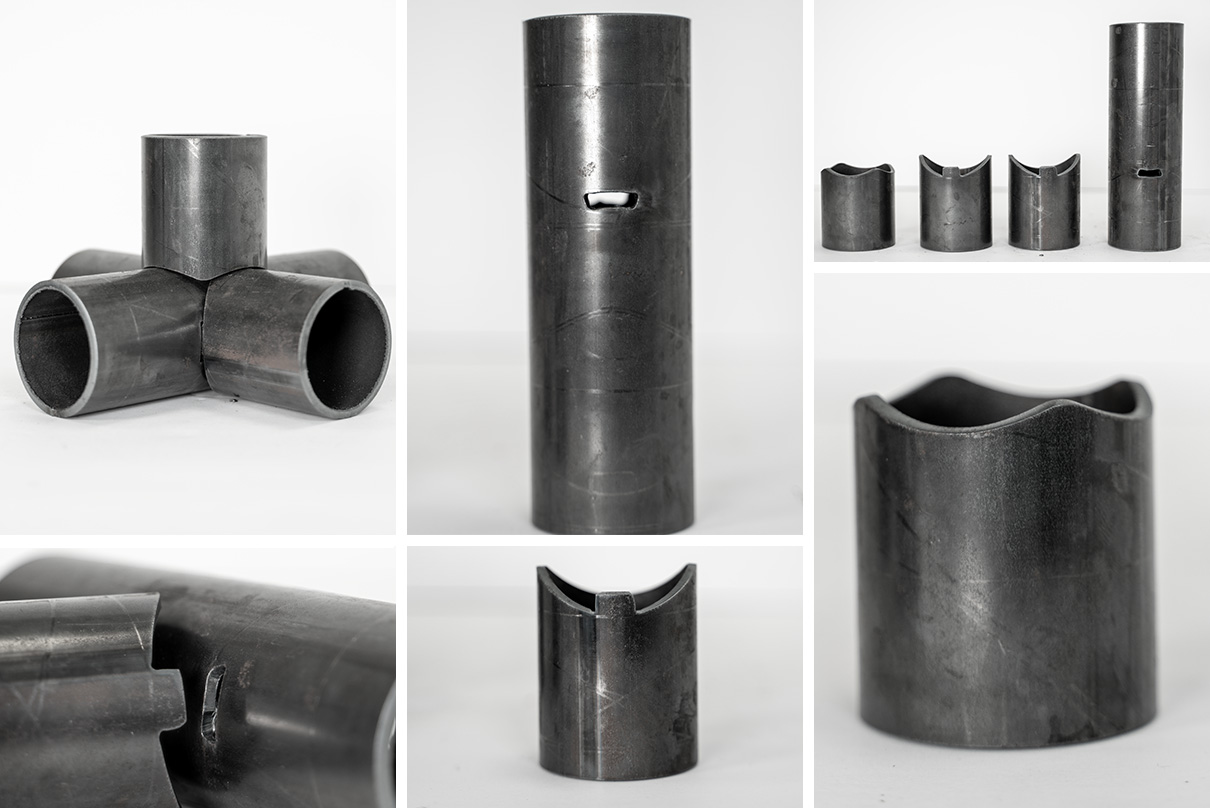
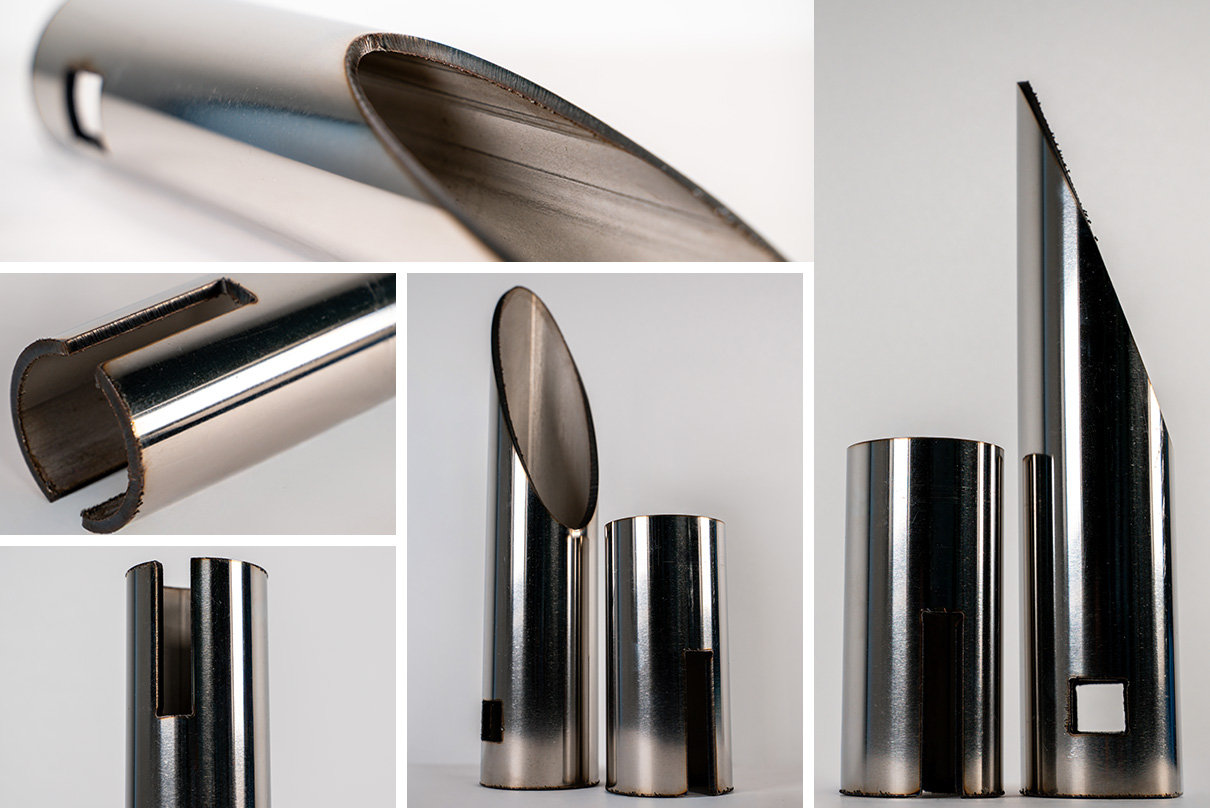
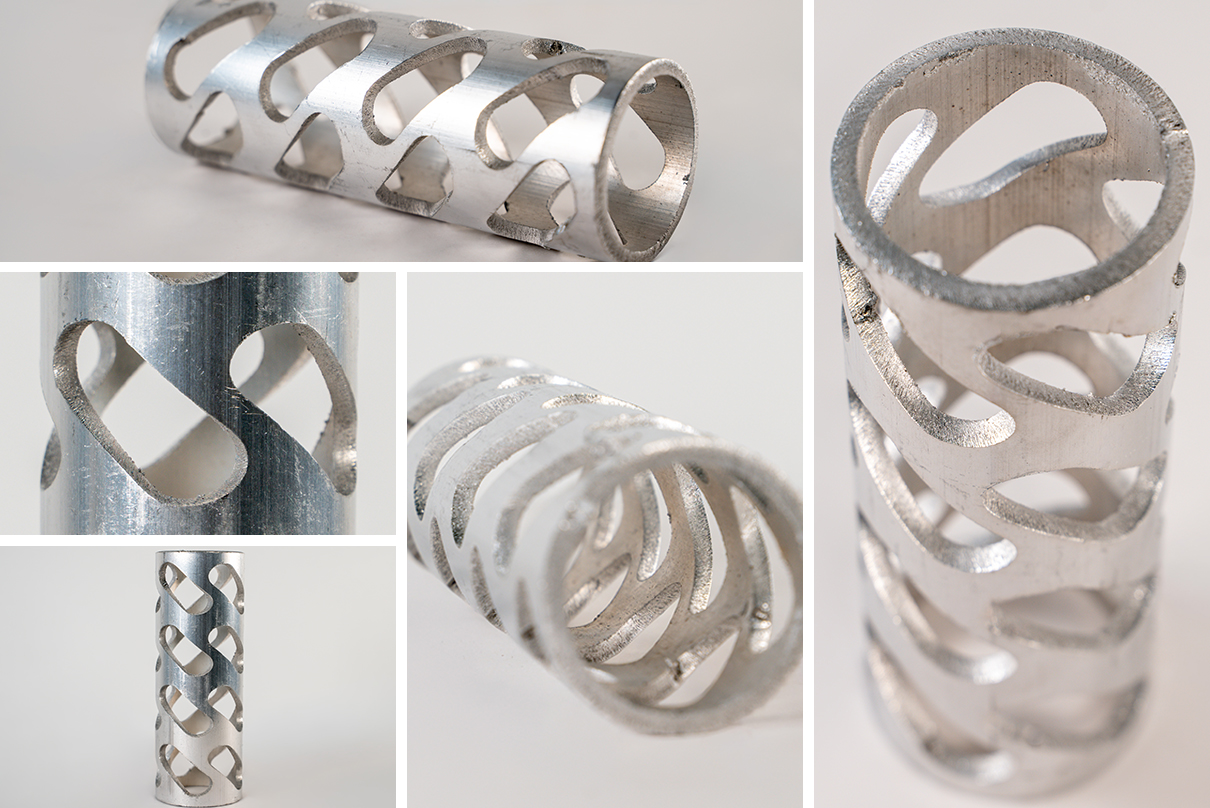
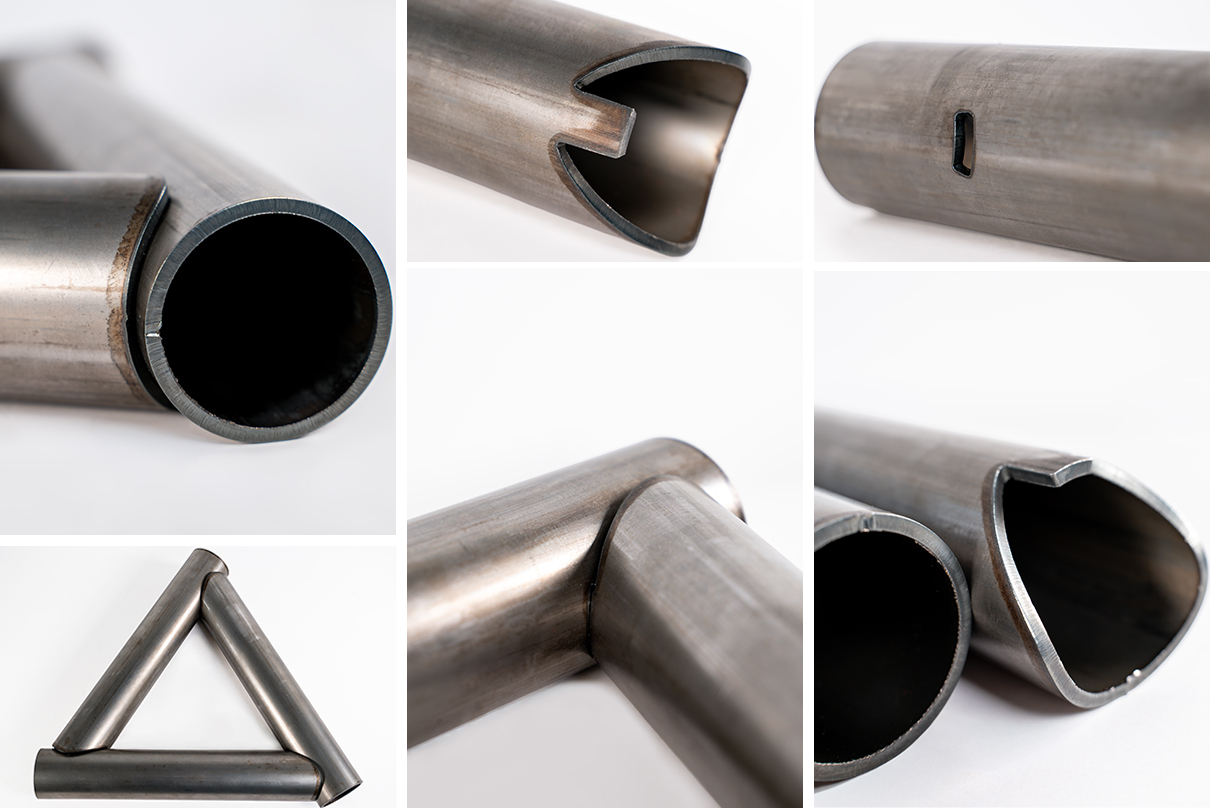
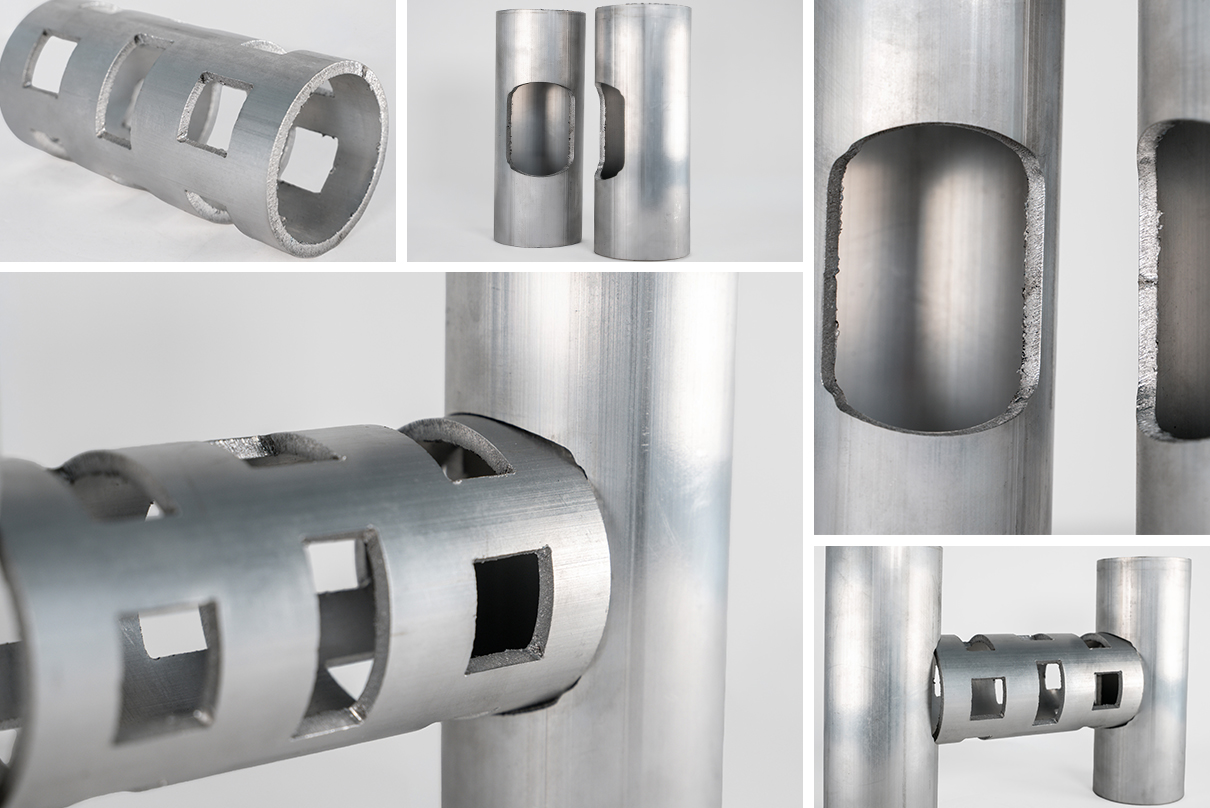
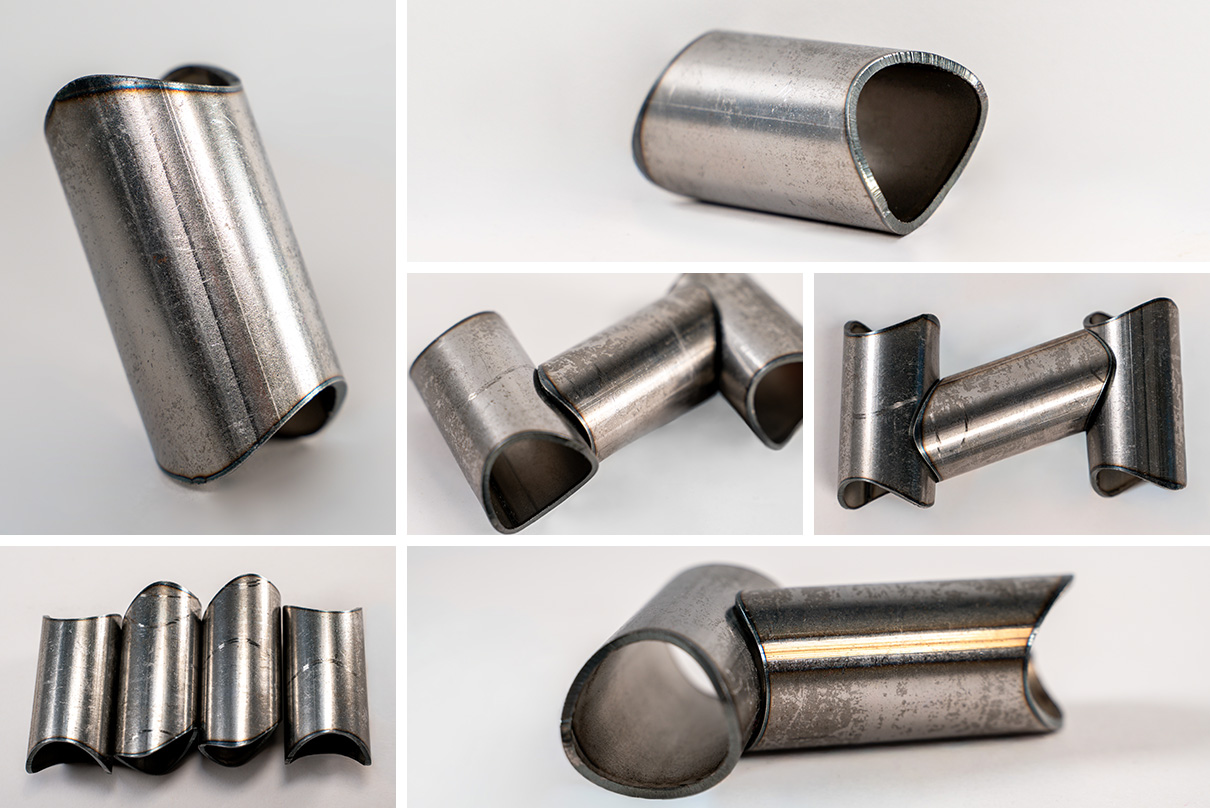
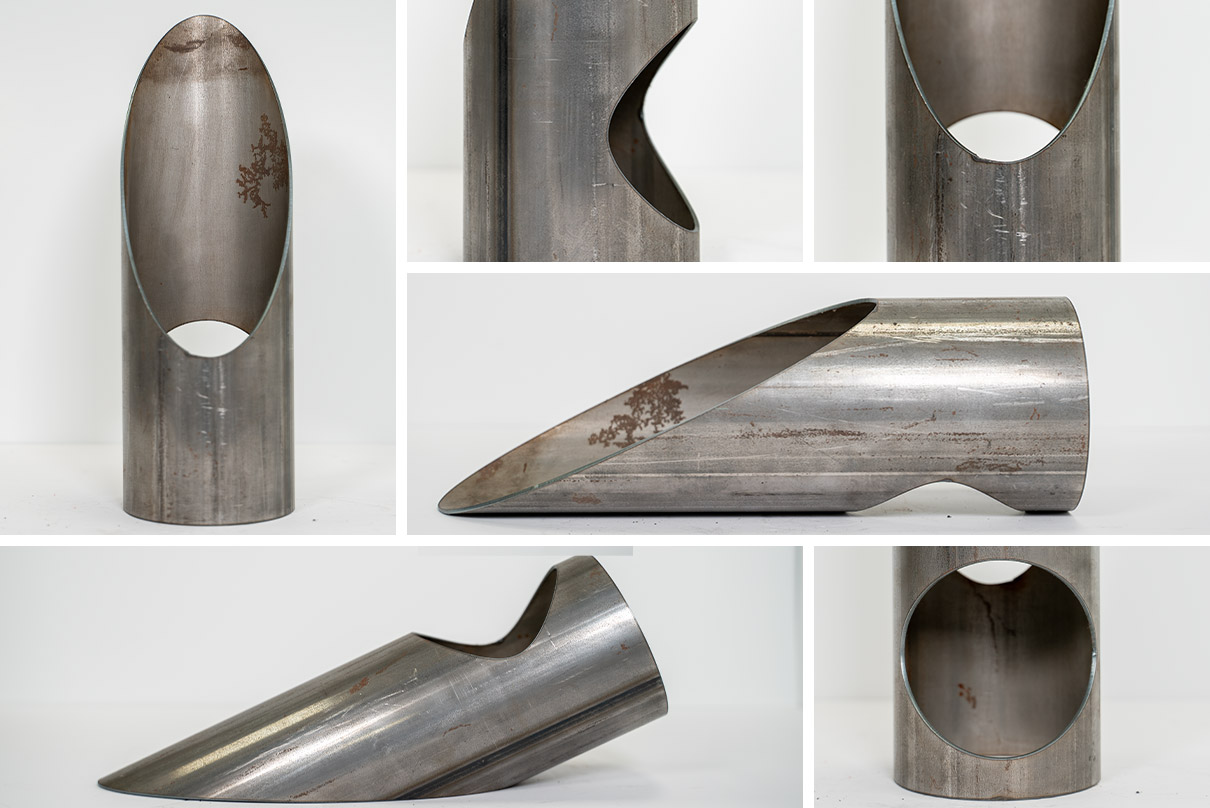
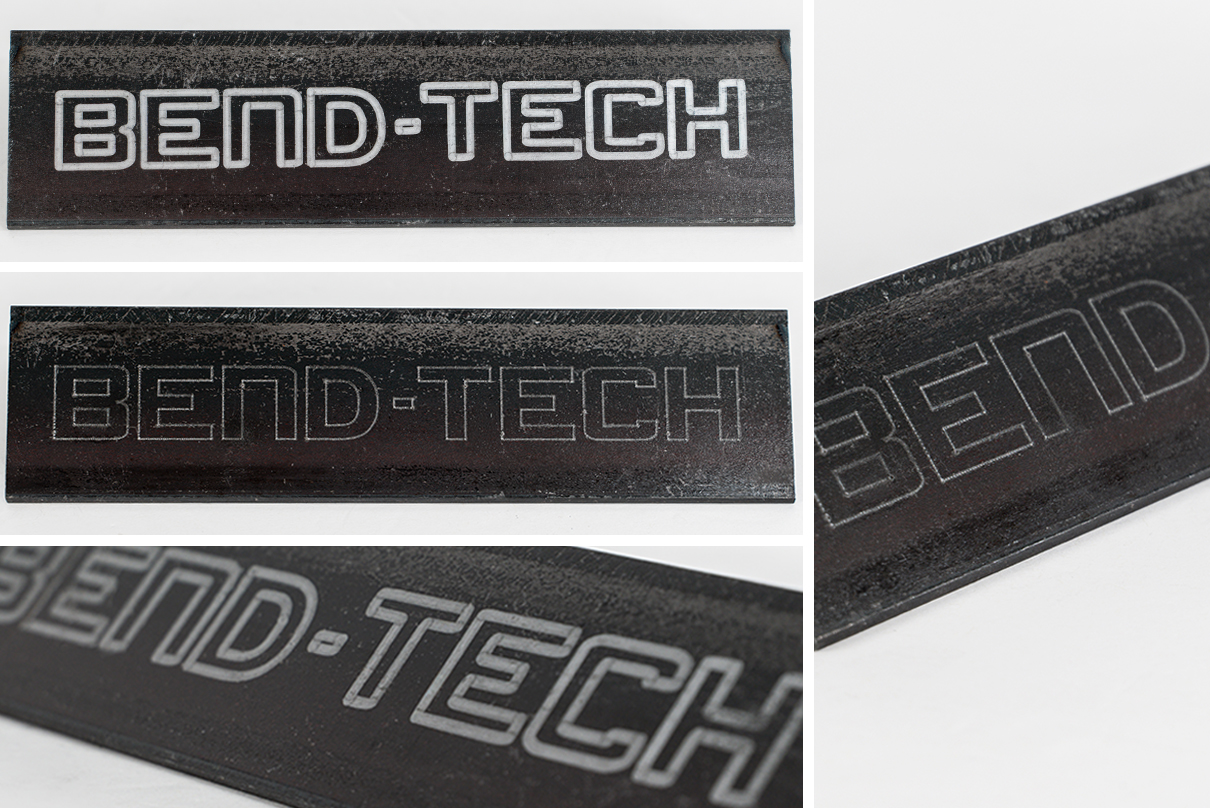
Part Samples Cut on the Dragon A250
Click For Additional Part Details
Frequently Asked Questions
Machine Capabilities & Specs
What are the material capabilities?
Round Tube & Pipe: 0.75” (19mm) – 4” (101.6mm)
Material Type: Mild Steel, Stainless Steel, Aluminum, DOM, HREW, Black Pipe, Galvanized Steel, Chromoly, any type of electrically conductive metal.
Material Length: a full stick length, up to 21 feet.
What size plasma cutter does the Dragon A250 use?
The Dragon A250 can be equipped with a variety of mechanized plasma system. Bend-Tech is an authorized Hypertherm dealer and available plasma systems for purchase with the machine include the Hypertherm Powermax45 SYNC, Hypertherm Powermax65 SYNC, Hypertherm Powermax85 SYNC, Hypertherm Powermax105 SYNC.
Shops with an existing plasma source that includes a mechanized torch and CPC port control will find it compatible with Dragon machines. Contact Bend-Tech sales for guidance on selecting the right plasma system.
What is the cut speed of the Dragon A250?
Cut speed varies based on a variety of factors including material size, cut design, material type, tolerance requirements, material thickness, use of a coolant system, and others. Depending on variables, the torch can run up to 120 inches per minute while cutting. Between cutting, the rapid travel can run up to 1100 inches per minute (X-axis) and 30 RPM (Y-axis).
What is the cut quality and dross level?
Dross levels vary depending on several factors, including amperage, cut speed, material size, material type, cut design, tolerance requirements, and material thickness. Optional coolant circulation systems can improve cut quality and reduce dross by washing away debris before it re-welds to the material. Request a benchmark or sample parts package to see Dragon cut quality first-hand.
How does the Dragon A250 load material?
The Dragon A250 can be loaded from the front, side, or back of the machine, depending on shop layout and the size and profile of the material being processed. Material can be fed into the front gate, pulled through, and secured in the self-centering four-jaw chuck – or loaded in reverse order. For larger or heavier material, an optional support system (Coolant Support System or Dry End Support System) allows material to be loaded into adjustable supports first and then pulled through the front gate with the chuck, making the process easier to manage. Depending on material size and weight, loading typically requires only one person.
What are the shop requirements?
Shop Requirements
- Active internet connection, for activation of the Dragon Software and to receive important updates.
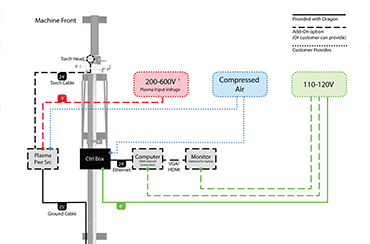
- 220-600V outlet for plasma system.
- 3-4 110-120V outlets. One for the machine, one for the computer, one for a computer monitor, and one if the optional coolant system is purchased.
- An air compressor or inert gas with one line, for the plasma system. (Required: 90-130 PSI at 6-9 CFM, required compression: 100-135 PSI)
Software
What are the software's import, export, CAD/CAM, and designer capabilities?
Dragon CAD and Dragon CAM offer full importing and exporting** capabilities with common file types such as .STEP and .IGES, including support for files from popular third-party CAD programs like SolidWorks, Inventor, AutoCAD, Fusion, Tekla*, and SDS2*.
Dragon CAD includes a complete single-part and assembly designer for designing parts and assemblies in full 3D, along with popular templates to help accelerate part design. Helpful tools such as automatic bend marks and fit-up marks further streamline post-cut production.
Dragon CAM support full .STEP file importing, along with an auto-nesting feature that optimizes part layout and cut time while minimizing wasted material. It also offers a straight and bent part designer for quick and efficient part design.
*Additional Transfer Tool required
**Bend-Tech does not export cutting information, just modeling information.
How easy is the Bend-Tech software to use?
The Bend-Tech Software is backed by an extensive library of resources designed to make learning straightforward at every step. Countless tutorial videos and a full Wiki page packed with tutorials, tips, and tricks are available to guide users through every feature, from the basics to the more detailed capabilities.
With over 35,000 software customers, a strong base of users and shared knowledge already exists. Guided by ongoing customer feedback, Bend-Tech has focused development on the tube design aspect of CAD rather than adding features that complicate the design process. Bend-Tech support staff are also available to help with any questions during normal business hours.
On-site and in-house training options are also available to get users comfortable with the software prior to running the machine.
What software is included with purchase?
Each Dragon machine includes Bend-Tech Dragon CAD and Dragon CAM software, designed to support part design, programming, and machine operation. The software supports importing files from third-party CAD programs to minimize disruption to existing design and engineering workflows.
Purchase includes two software seats:
- One seat licensed for the computer connected to the Dragon machine
- One seat licensed for an office desktop or laptop
This configuration supports both shop floor operation and off-machine programming or design work.
Purchase, Delivery & Setup
What is included with the purchase of a Dragon A250?
The Dragon A250 machine, parts catcher beak, sliding material support, control box, automatic toolhead, pneumatic marker (3x markers), pneumatic engraver, Hypertherm plasma source (if purchased), 1x fine cut consumable & 2x max rated consumables (if Hypertherm unit is purchased), enclosed computer cabinet, PC and accessories (mouse, keyboard, monitor), setup and operation manuals, two seats of Dragon CAD/CAM software, any additional option if purchased.
Additional options: Coolant support system, material coolant system, dry end support system, Hypertherm plasma system
What is the delivery process and lead time?
Lead time for the Dragon A250 is typically zero to four weeks. Transit time is approximately one week and may vary by location. Once the machine ships, a tracking number will be provided. Contact Bend-Tech sales personnel for current lead times.
Bend-Tech maintains responsibility for the shipment throughout the delivery process and coordinates directly with the carrier. If any issues occur during transit, Bend-Tech works directly with the shipping company to resolve them. In the event of shipping damage or delivery errors, contact Bend-Tech sales immediately to ensure appropriate steps are taken.
The Bend-Tech Dragon A250 ships in a fully enclosed wooden crate measuring 7.3ft (2.23m) long x 4ft (1.22m) wide x 6.6ft (2.01m) tall.
How does the initial setup work?
Dragon machines are majorly customer-installed and ship partially assembled for a simplified setup process. Each machine is fully assembled and calibrated at Bend-Tech headquarters prior to shipment, then partially disassembled for transport. A comprehensive assembly guide is included to support proper assembly and setup. Contact Bend-Tech sales personnel for details on available installation and on-site setup services.
Can I finance a Dragon machine?
Financing
Yes, Bend-Tech offers commercial financing and leasing options through established third-party lenders. Financing programs are structured to support a range of purchasing needs varying from customer to customer.
Financing and Leasing options vary by lender and qualification. Bend-Tech sales can provide current program details and assist with the application process.
What is the warranty period on the machine?
Machine Warranty
Dragon machines include a 12-month limited warranty. Defective or faulty parts identified within this period following delivery are replaced at no charge and shipped to the customer location. After the 12-month warranty period, replacement parts are available for purchase through Bend-Tech.
THIS WARRANTY MAY BE VOIDED OR LIMITED IF HARDWARE MODIFICATIONS OR ADAPTIONS ARE MADE TO THE MACHINE.
Software Maintenance Package
A two-year software maintenance package is included with purchase. This package provides ongoing software updates. After the initial two-year period, software maintenance can be renewed on an annual basis to continue receiving updates.
Bend-Tech sales personnel provide renewal reminders approximately two to four weeks prior to expiration of the maintenance plan and can assist with annual renewal options.
Support & Service
What services are available for the Dragon A250?
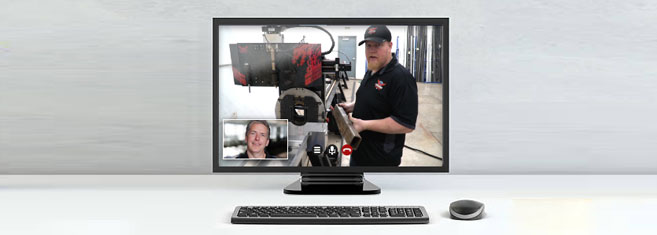
Avoiding downtime is central to how Bend-Tech approaches support, and when a concern needs more than remote troubleshooting can resolve, Applications Engineers are dispatched on-site for hands-on diagnostics, repairs, and system optimization. Lifetime remote customer support is available for new machine purchases. Remote support during regular business hours is answered by an Applications Engineer, who can help with any questions.
In-house, onsite, or online training is available for purchase, with an in-house training class hosted once a month. Ask a Bend-Tech sales representative about training options.
Assisted machine setup is also available when purchasing a Dragon machine. Bend-Tech has made the setup process as streamlined as possible, with detailed instructions on how to uncrate and setup the machine.
After purchasing a Dragon machine, a thorough preventative maintenance service is also available. This service provides a comprehensive maintenance overview, during which a Bend-Tech Applications Engineer performs every step outlined in the official maintenance manual.
Who supports the Dragon A250?
The Dragon A250 is supported by Bend-Tech’s in-house team of Applications Engineers. Support is available during standard business hours (8:00AM – 4:00PM CT) and includes software, machine operation, and application-related questions.
On-site support services are also available when required, and may be scheduled through Bend-Tech for an additional fee.
Are replacement parts available?
Yes. Bend-Tech maintains a substantial in-house inventory of replacement parts. This inventory enables rapid fulfillment, including expedited and overnight shipping options when required, to minimize downtime and support continued operation.
Company Background & Comparisons
Where is the Dragon A250 made?
The Dragon A250 is made in the USA. All Bend-Tech departments are located at Bend-Tech headquarters in Osceola, Wisconsin, within a 36,000 square-foot facility. Bend-Tech has also purchased an additional building in Osceola to house expanded R&D and manufacturing capabilities.
How many Dragon machines are out in the field?
Over 2,000 Dragon machines are currently in the field, including Dragon A400, Dragon A250, and Dragon A150 models across North America and internationally.
How long has Bend-Tech been in the tube and pipe business?
Bend-Tech has been serving the tube and pipe industry since 2001, when the company got its start developing CAD software designed specifically for tube and pipe profiling and bending. In 2015, that expertise expanded into hardware with the launch of the first Dragon CNC tube and pipe plasma cutter, followed by additional models built to handle larger materials and a wider range of profiles.
With over 25 years in the industry, Bend-Tech has grown from a small team to a company over 50 employees, with more than 2,000 Dragon machines now in the field. Products remain proudly made in the USA, backed by a continued commitment to high standards of quality and service.
What makes the Dragon different from other tube plasma cutting systems?
Several key features set the Dragon series apart from other tube plasma cutters on the market.
The Bend-Tech Software is built specifically with tube bending and fabrication in mind, offering features like automatic bend marks, bend calculations, and fit-up locations for assemblies – capabilities not typically found in general-purpose plasma software.
The Dragon is also a modular machine, designed for ease of setup and flexibility. Machines ship mostly assembled, requiring only the bed to be put together, and are easy to relocate if shop needs change. For shops with space constraints, starting with a 12-foot bed and upgrading to a longer bed length later is also an option.
An optional coolant system further sets the Dragon apart, helping reduce dross and slag buildup, minimize exhaust buildup, and improve overall cut quality.
Finally, the Dragon fits into the broader Bend-Tech ecosystem, creating a seamless workflow from design to production. Parts can be designed in Dragon CAD or imported from other CAD programs, transferred directly to the Dragon for cutting, and then transferred to the PB 2000 DC for bending.
What is the difference between the Dragon A400 and the Dragon A250
The main difference lies in the profiles each machine can process: the Dragon A400 is a multi-profile tube plasma cutter capable of handling round, square, rectangle, angle, and channel profiles, while the Dragon A250 is designed specifically for round tube. Beyond that distinction, both machines are built the same way and are equally capable of cutting, marking, and engraving tube and pipe.
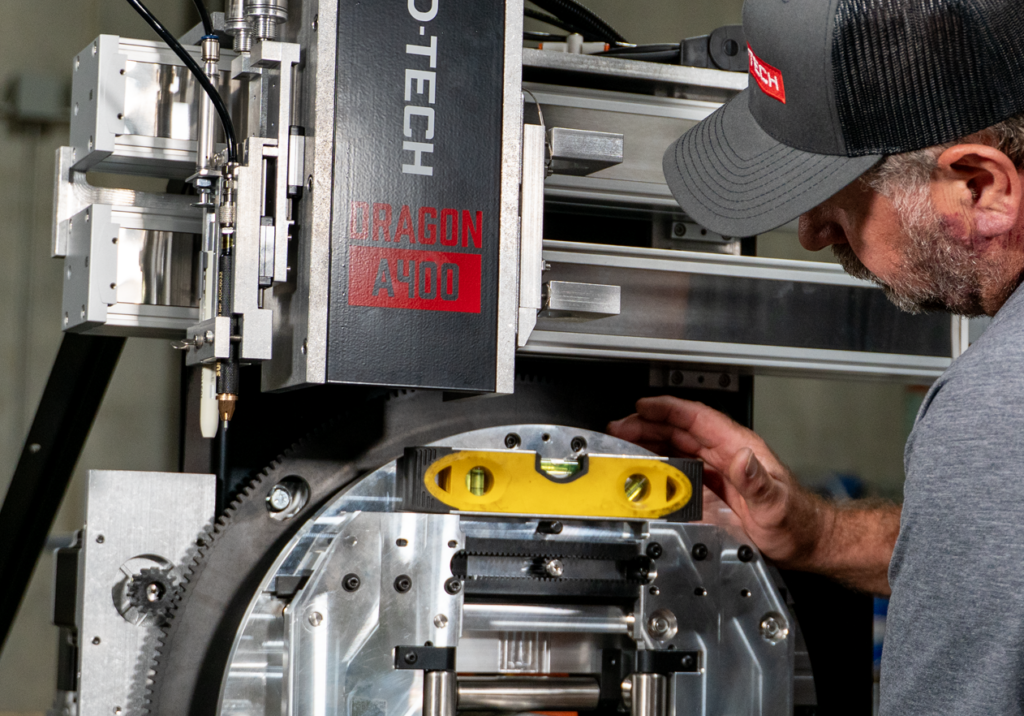
American-Made
Engineered, assembled, and built in-house in Osceola, Wisconsin. Each Bend-Tech Dragon A250 ships fully tested and calibrated, ensuring that the highest of quality standards are met and the setup process is as straightforward as possible.
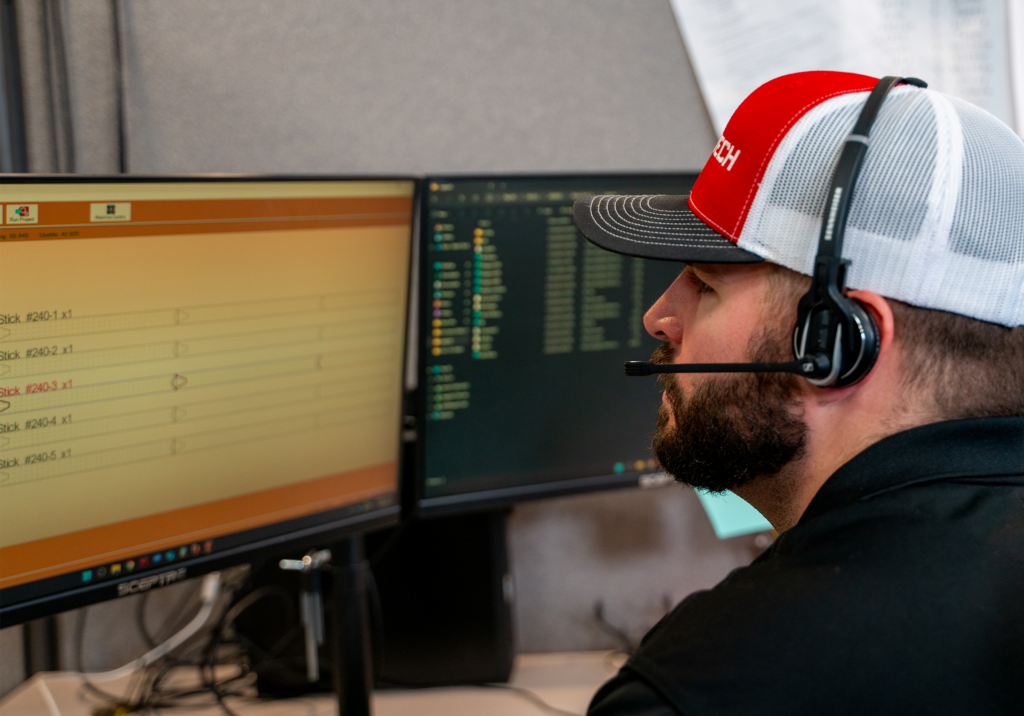
Dedicated To Support
In-house each day is a team of specialized, trained Applications Engineers, ready to troubleshoot any questions or service needs as they arise. Choosing Bend-Tech is more than just the machine – it’s the team that stands behind it.
Contact Us
Questions?
Not sure which Bend-Tech CNC tube and pipe plasma cutter is right for your operation? Contact our sales team for personal configuration of a Bend-Tech system.