Round Tube Capacity
2″ x 0.125″
Pipe Capacity
2″ Schedule 40
144″ Bed Length with
Pass-through Technology
180° as quick as 6.6 Seconds
Complete Multi-Axis Automation for Uninterrupted Bending
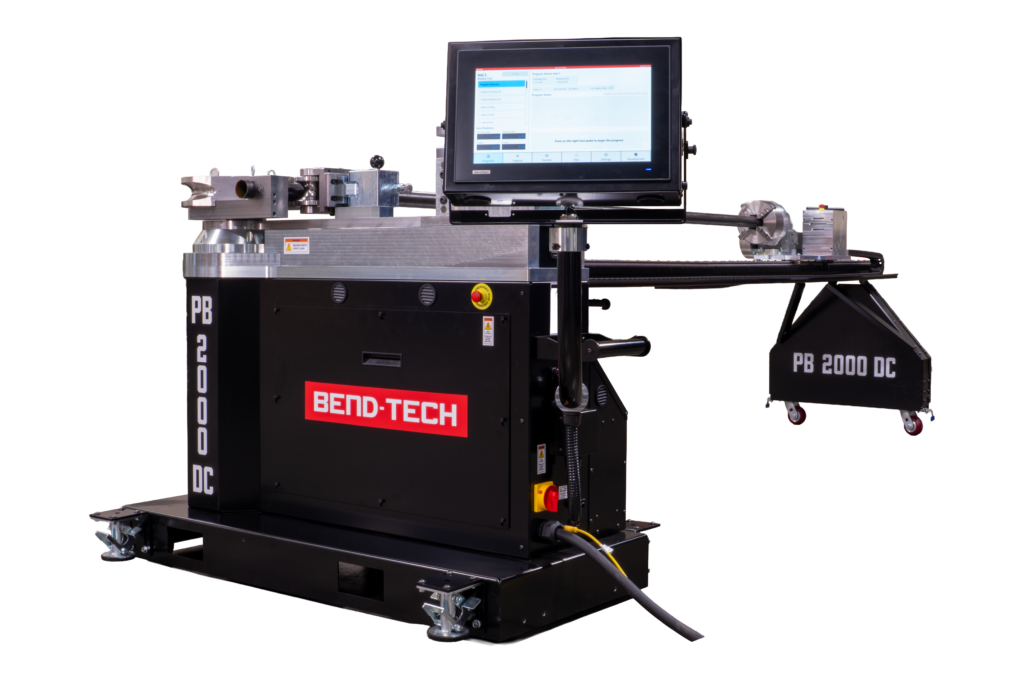
All four axes on the PB 2000 DC are automated and run independently by servo motors. The motorized pressure and forming dies maintain consistent clamp pressure and bend angle part after part, with no manual repositioning and no setup adjustments between bends.
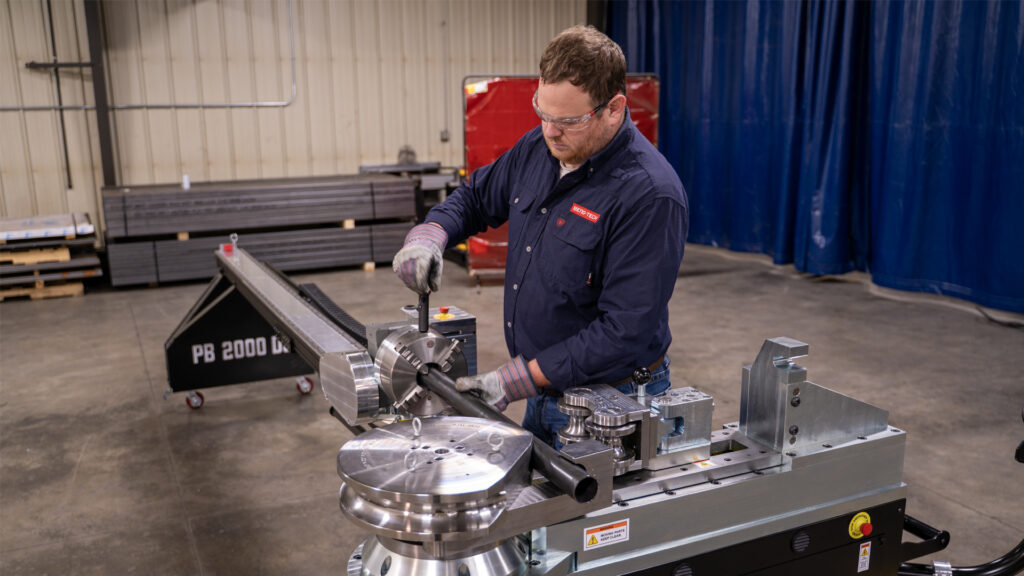
Less Setup Time
Controller converts LRA (Length, Rotation, Angle) data to machine movements, sequences, and uses speed, dwell, springback, and location offsets from die and material library settings.
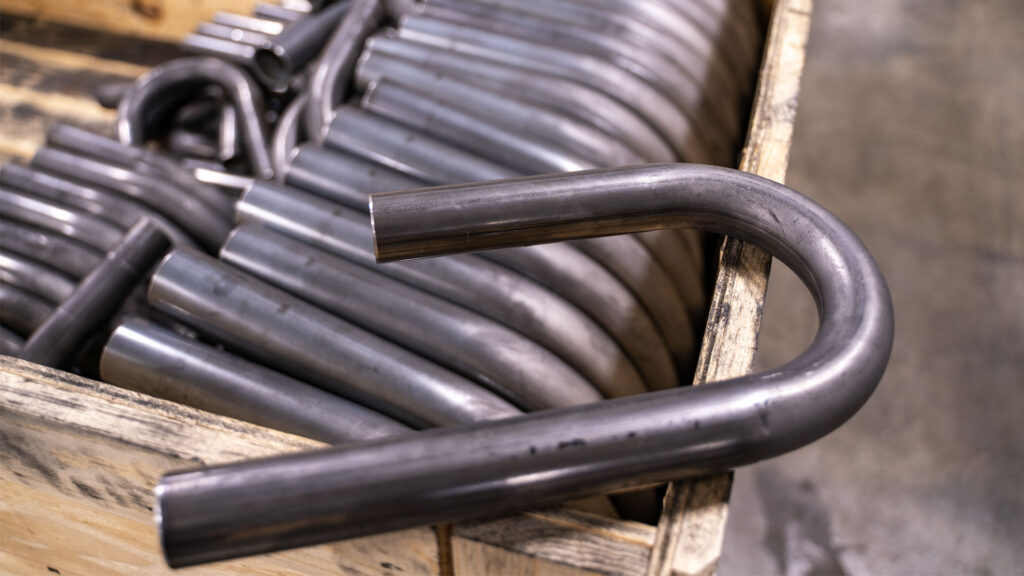
Repeatable Results, Run after Run
Servo-controlled axes remove operator variability from the equation – same programmed values on every cycle, regardless of the operator or how long it’s been since the same part has been bent last.
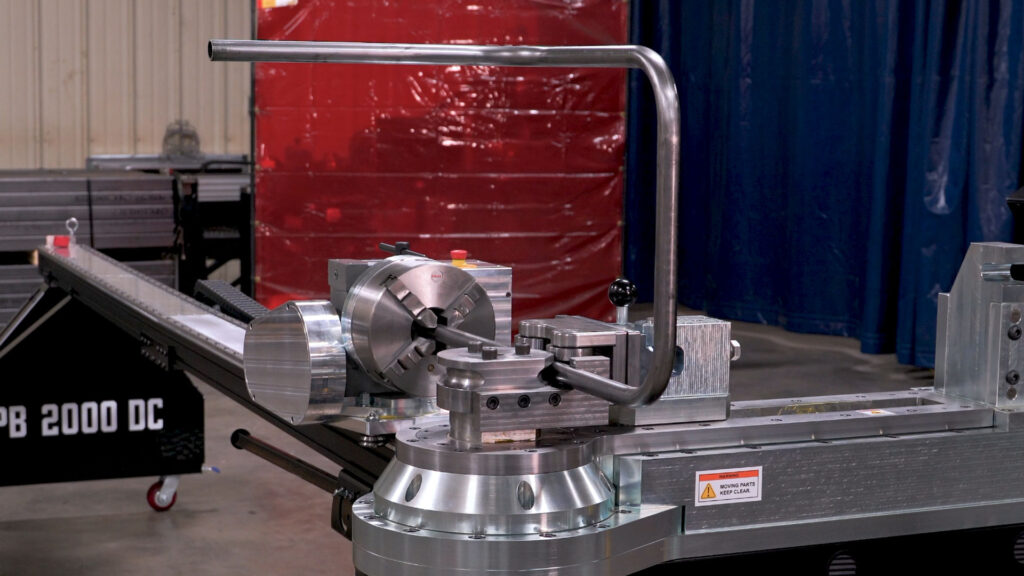
Complex Parts Without Manual Calculation
Multi-axis sequencing handles complex bend sequences automatically, so there’s no manual measuring or repositioning between bends.
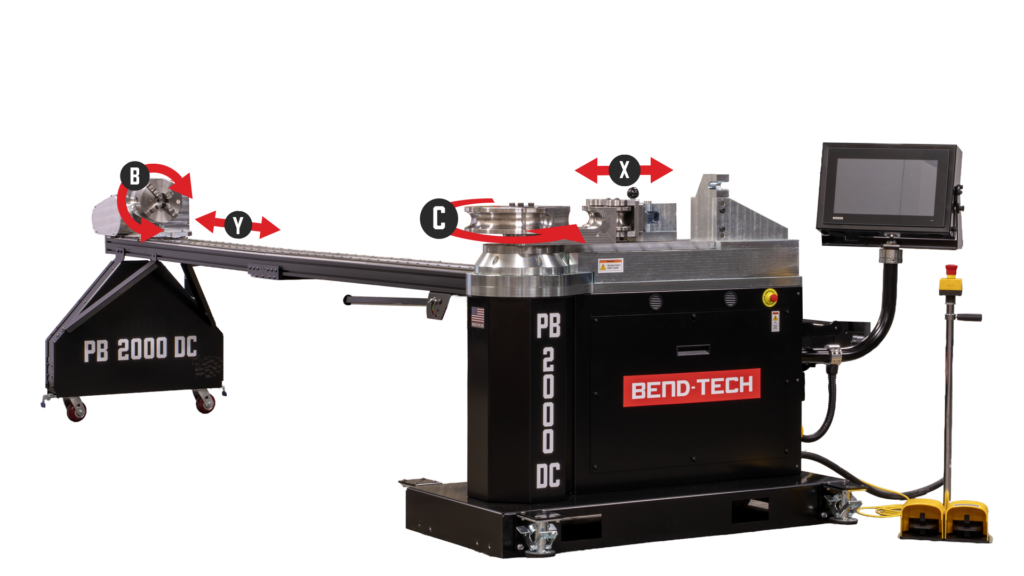
Pressure Die
Movement
Linear Motion Control
Applies and maintains controlled linear force to hold material firmly against the forming die during bending.
Forming Die
Rotation
Bend Angle Execution
Controls the rotational movement of the forming die to create precise bend angles and consistent part geometry.
Trolley
Movement
Linear Motion Positioning
Moves trolley linearly along the rotary back gauge to position each bend correctly along the material.
Chuck
Rotation
Material Orientation
Rotates the material during bending to ensure correct orientation and precise bend placement.
Engineered for Minimal Setup Time and Maximum Operator Efficiency
The PB 2000 DC is built around a three-step setup sequence. Load the program, chuck the material against the backstop, and the machine indexes to the correct starting point on its own. From there, the operator initiates the bend cycle. There is no manual positioning between bends, no pressure adjustments mid-run, and no reference measurements before the next bend.
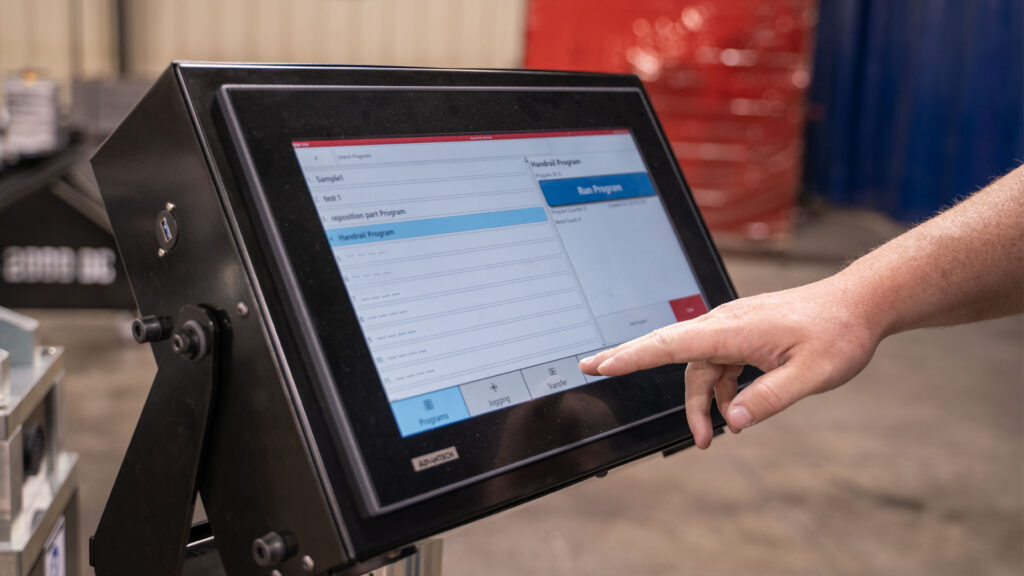
Program
Wirelessly transfer a program or load a saved program.
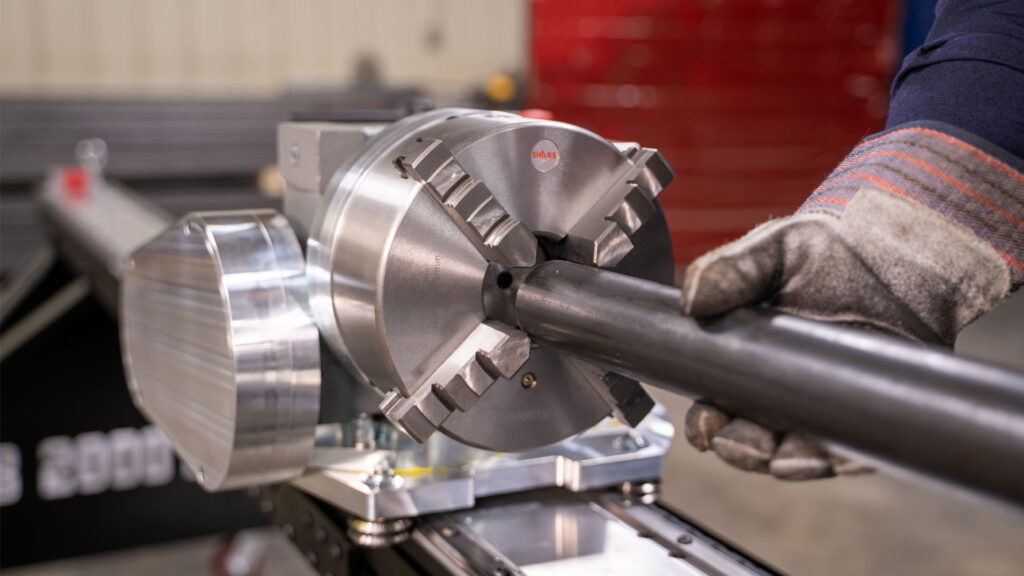
Load
Backstop and chuck position the tube to the same reference point every run. No measuring, no eyeballing.
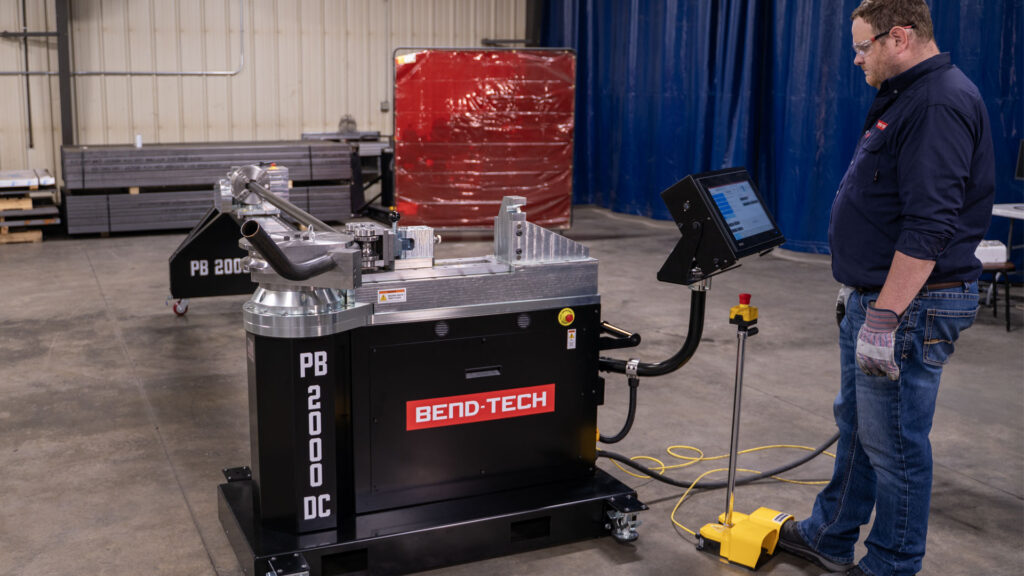
Run
The operator holds the foot pedal down as the PB 2000 DC executes the bend program.
The Numbers Behind Day-One Productivity
Hours Not Days
Learning Curve
The streamlined workflow of the PB 2000 DC allows operators to quickly gain confidence on the machine without extensive training sessions .
5x
Faster Setup Time
Compared to manual tube bender setup, the program driven indexing on the PB 2000 DC and fixed material reference point cut job changeover time by 80%.
Built for Demanding Shop Environments
Every component on the PB 2000 DC Rotary Draw Bender was selected for a shop environment, not a showroom. Machined steel construction, corrosion-resistant finishes, and purpose-selected drive components are built to hold tolerance and hold up – shift after shift.
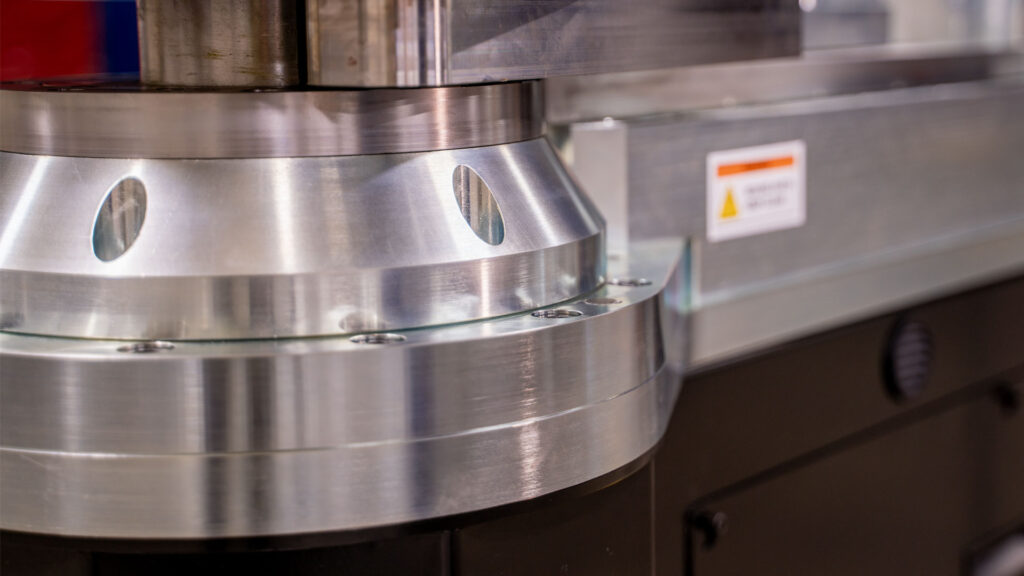
Machined Steel Construction
Tight fitments and a rigid frame that maintains accuracy across the full range of supported materials.
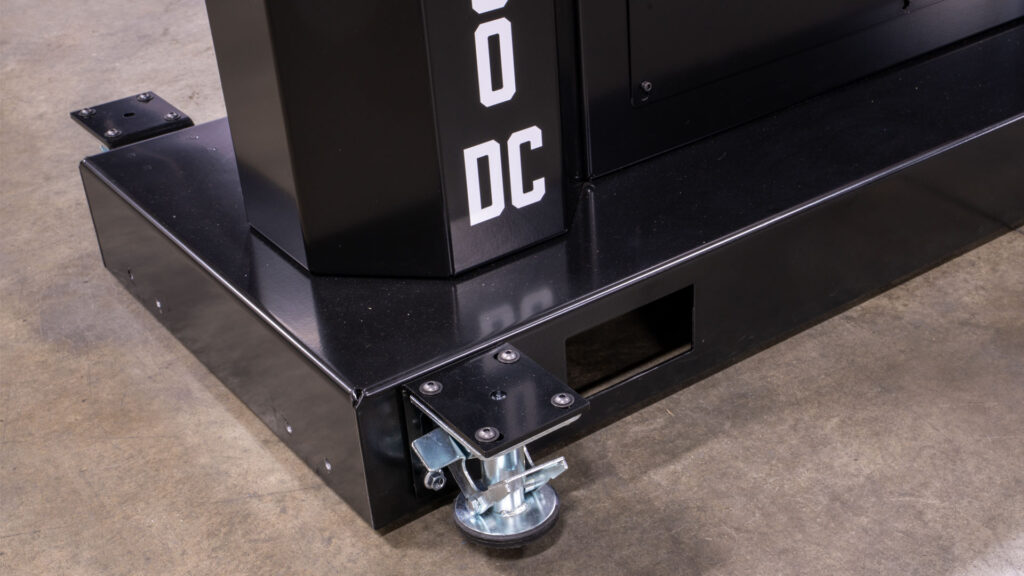
Corrosion-Resistant Finishing
Zinc plating on machined components and powder coating on sheet metal for long-lasting protection in working shop environments.
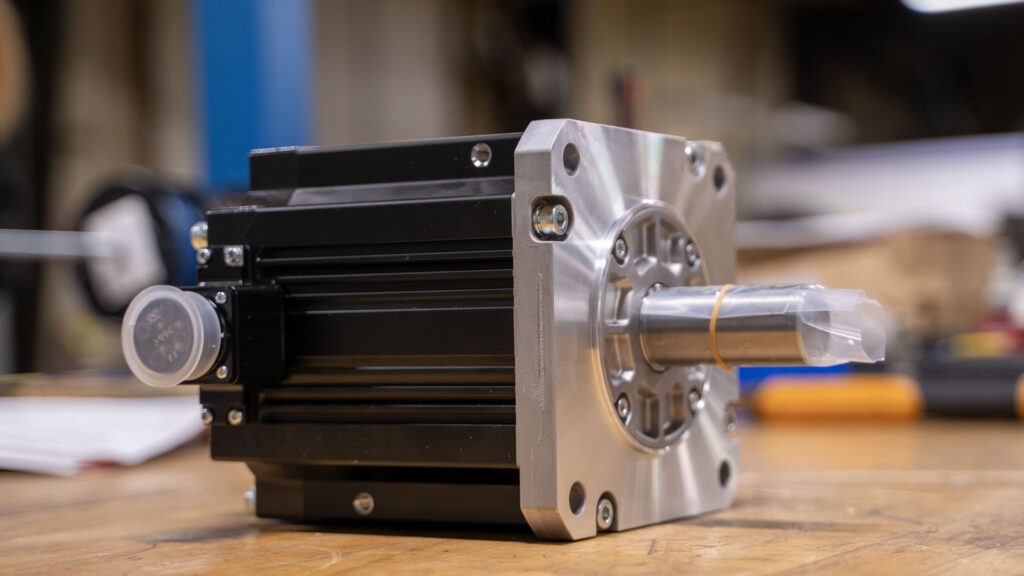
Mitsubishi Servo Motors
Selected for positional accuracy and consistent torque output across a wide speed range.
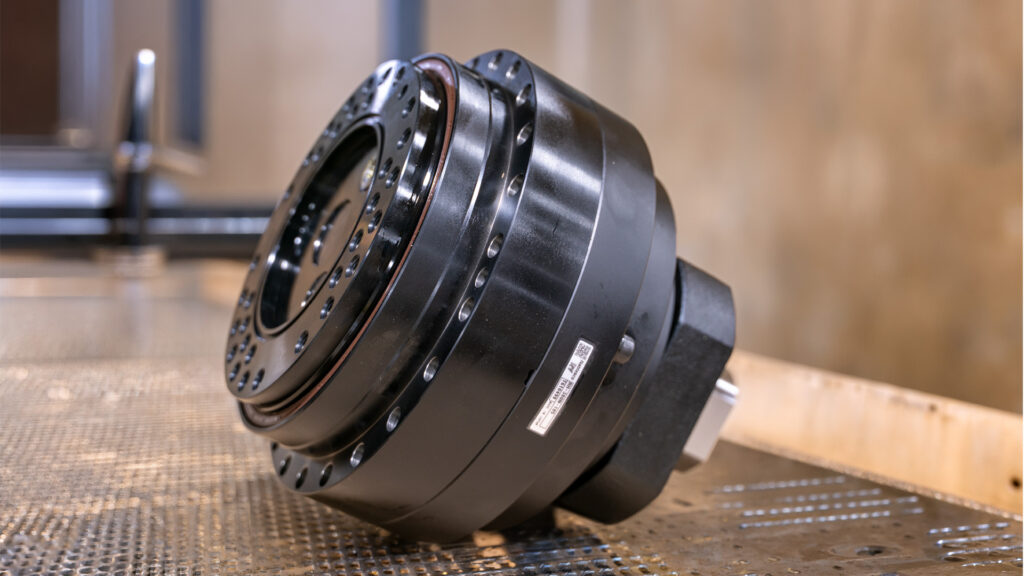
Cycloidal Forming Axis Gearbox
Minimal backlash and sustained high-torque transmission for consistent bend angles under production loads.
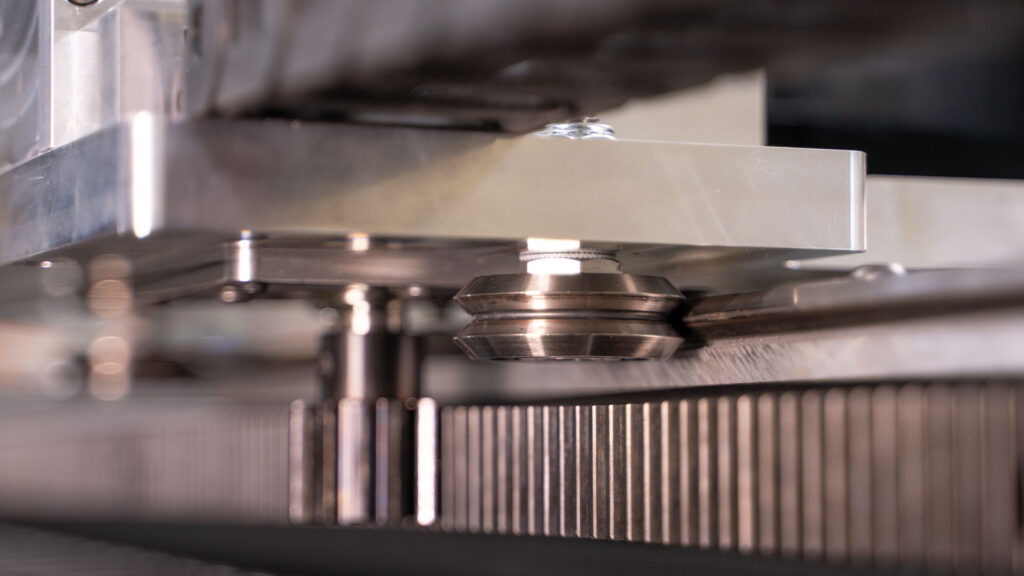
V-Rail Carriage System
High-load capacity, dirt-tolerant rollers, and rigidly mounted rails that maintain precise carriage alignment over time.
PBCNC Software: The Machine Controller Built for the PB 2000 DC
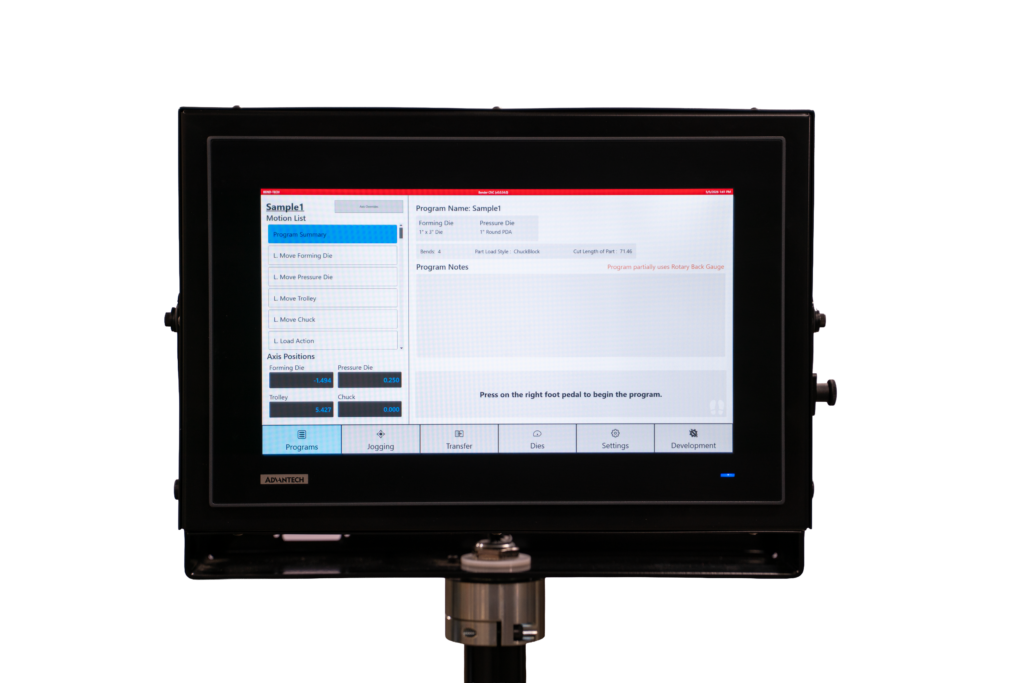
Full Customization at the Machine
The PBCNC Controller for the PB 2000 DC keeps the operator at the machine. A swivel-mounted 15.6″ touchscreen computer puts program management, live axis data, and bend adjustments directly at the operators fingertips.
PBCNC Features That Keep Production Moving
File Management
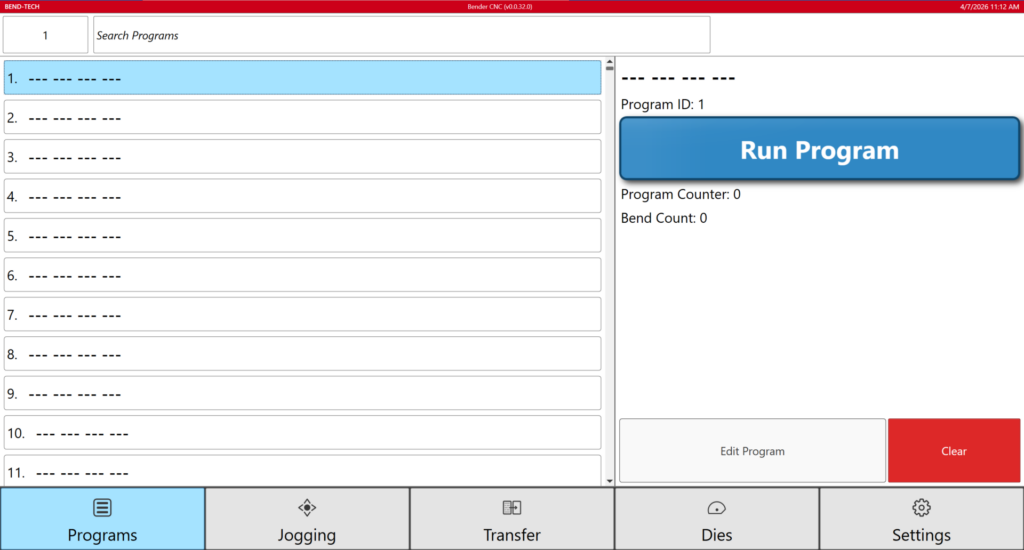
10,000 Stored Offline Programs
Up to 10,000 bend program can be saved on the PB 2000 DC. Reorder, search, and organize programs for instant recall, directly on the machine.
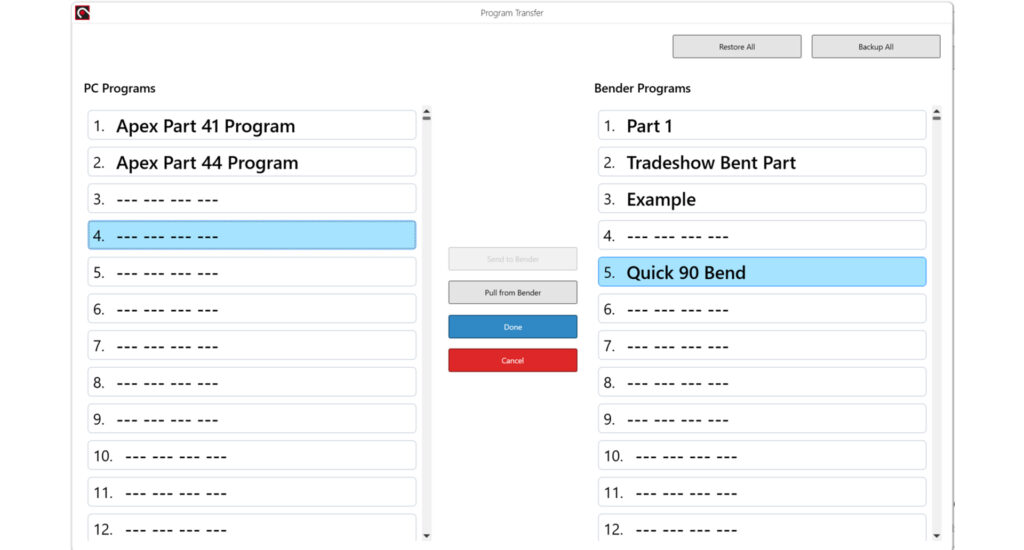
Wireless Program Transfer
New and updated programs transfer from an office computer to the bender over the shop network. USB transfer is also available on the PB 2000 DC.
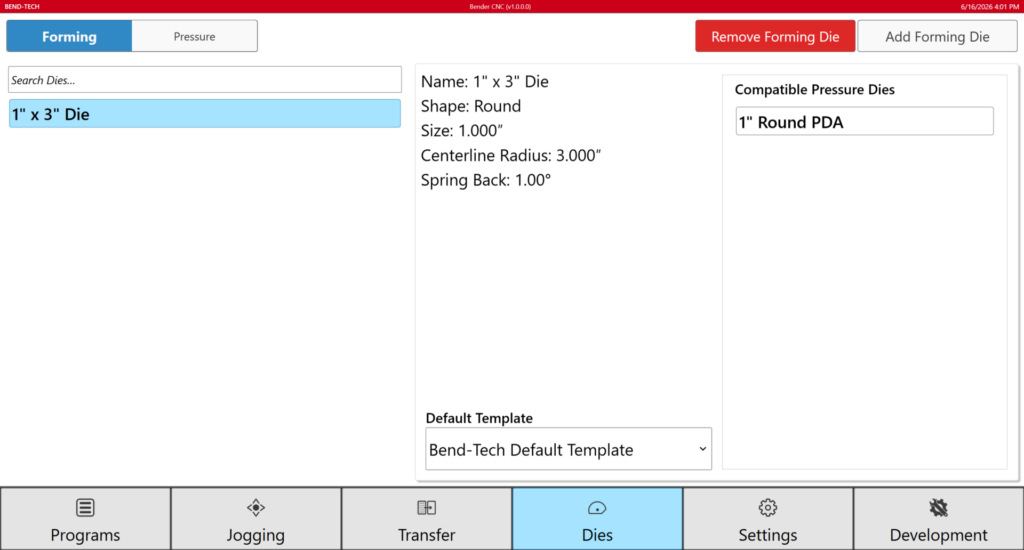
Material and Die Library
Selected material and die libraries apply user-defined values for springback, speeds, dwells, bend allowances and bend setbacks.
On-Machine Control
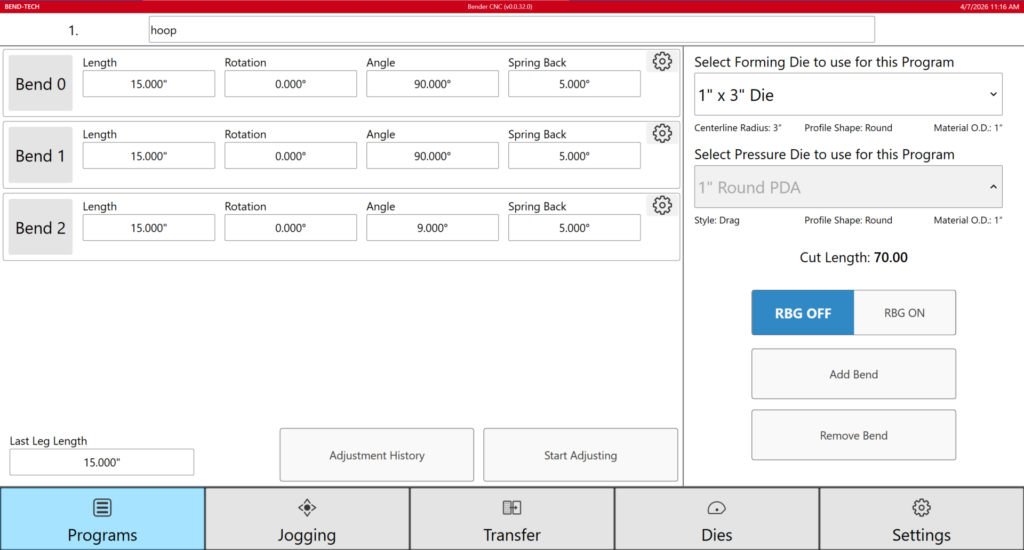
Quick Part Adjustment
Adjust individual bend parameters (Length, Rotation, Angle, Springback) directly on the controller without modifying the base program or returning to the office.
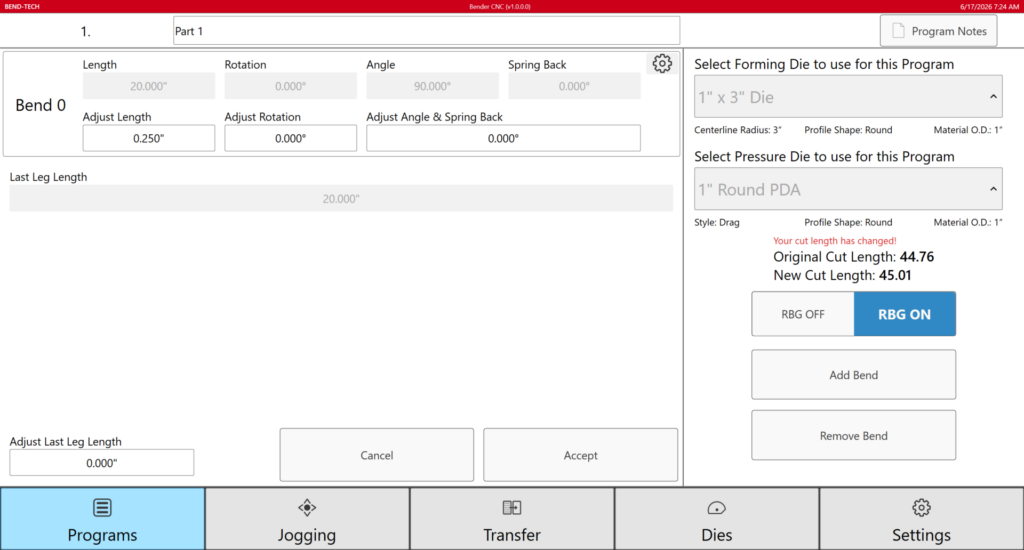
Quality Control Adjustment
Enter a correction once and the controller adjusts all subsequent bends accordingly, and saves the updated values to the program for every future run.
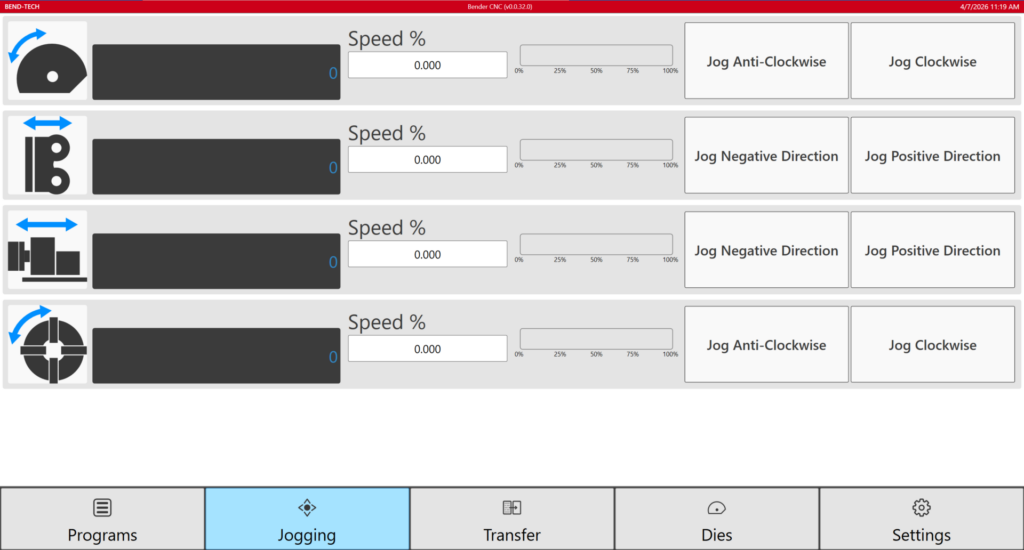
Live Axes Status
Position, pressure, and speed values display in real time during the bend cycle. Jog all PB 2000 DC axes individually.
Purpose Built Dies Designed for the PB 2000 DC
The PB 2000 DC pairs with dies specifically designed for rotary draw bending. Tooling is machined in-house with 4140 heat-treated steel. All dies share a singular vertical centerline, meaning no height adjustment in the chuck or back gauge is needed.
Quick-Change Die System
180° Achieved Bend Angle
3-10 Minute Changeover Time
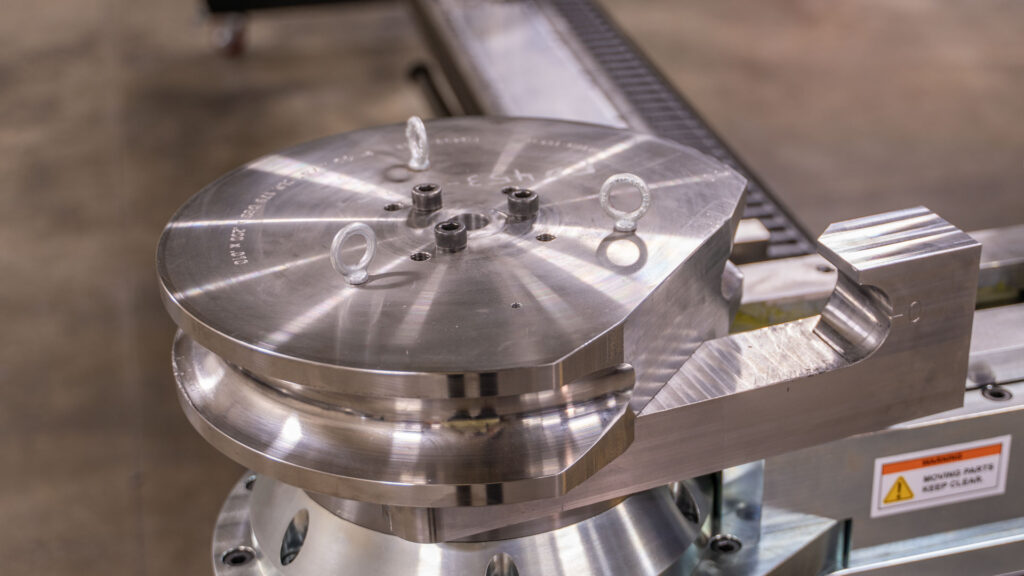
Hook-Style Forming Die
The PB 2000 DC forming die uses a hook-style clamping system to streamline loading material by being able to freely slide it into the die. The hook engages and locks the material into place to secure it throughout the bending process.
Roller Pressure Die
The pressure die on the PB 2000 DC uses a rolling contact surface rather than a sliding friction design. Where a traditional sliding pressure die drags against the tube through the entire bend, the roller die rotates with the material, reducing surface drag, minimizing marring, and wear on the die.
Since the pressure die on the PB 2000 DC is CNC controlled, the force applied is programmed and repeatable. The same pressure value executes on every bend cycle, removing manual adjustments from the equation and eliminating inconsistency that comes with operator-set friction dies.
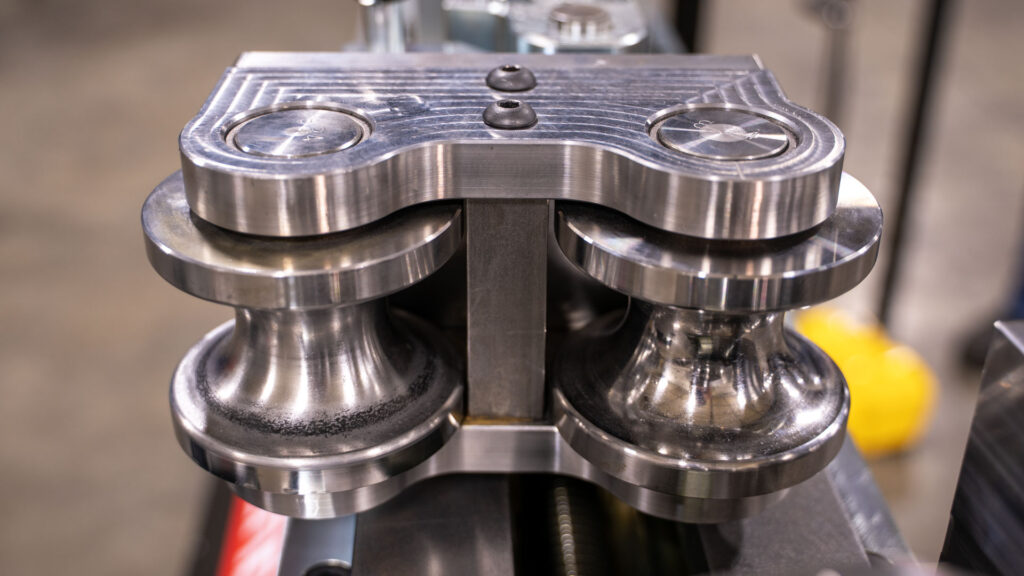
See all available die options for the PB 2000 DC
Benefits of a Roller Die vs. Sliding Die
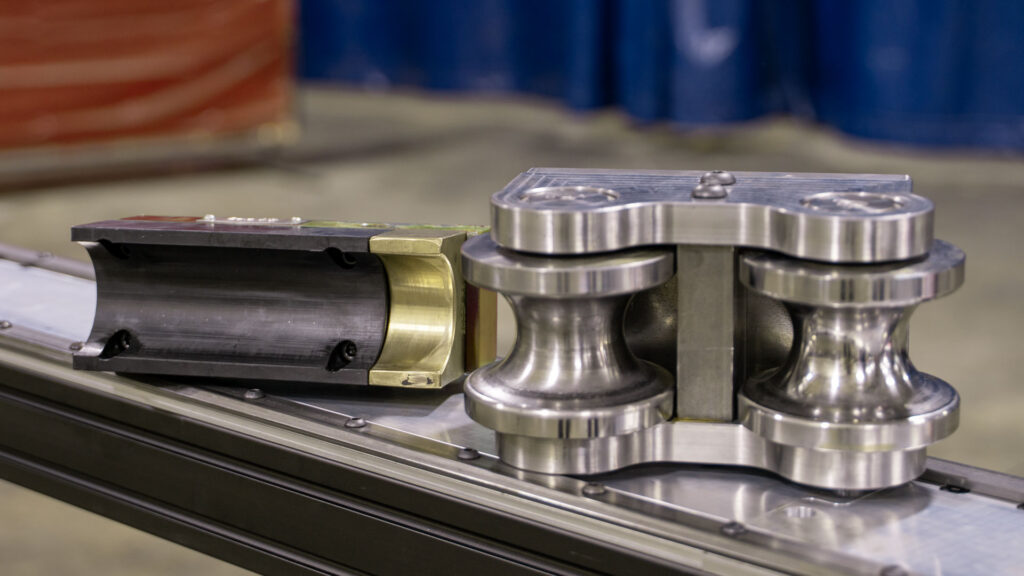
Traditional sliding pressure dies rely on lubricated contact between the die face and the material surface. That friction varies with lubrication quality, material finish, and operator habit, which can cause inconsistent bend quality. A roller die removes friction from the equation entirely. The die surface rolls with the material rather than resisting it, which reduces material drag, protects the material finish, and reduces component wear.
THERE'S A NEW BOSS IN TUBE AND PIPE BENDING

Expand Your Limits with BOSS Offline Programming Software
Bend-Tech BOSS is the offline programming software built specifically for the PB 2000 DC meant to streamline the pre-bending workflow. Import a STEP file directly from most third-party CAD programs, design your part, simulate your bend sequence, catch errors before they reach the floor, and wirelessly transfer the program directly to the bender.
*Additional Subscription Required
Explore BOSS Offline Software
Accelerate Design-to-Manufacturing Workflow with CAD File Importing
Import. Auto-Seperate. Transfer. Done.
Import a STEP file or full assembly and BOSS handles the rest, separating components so each part is ready to program and send to the PB 2000 DC. What used to take hours of manual setup now takes minutes.
Supported File Types: STEP, BTPART, BTBP, ENC*
*Additional purchase necessary
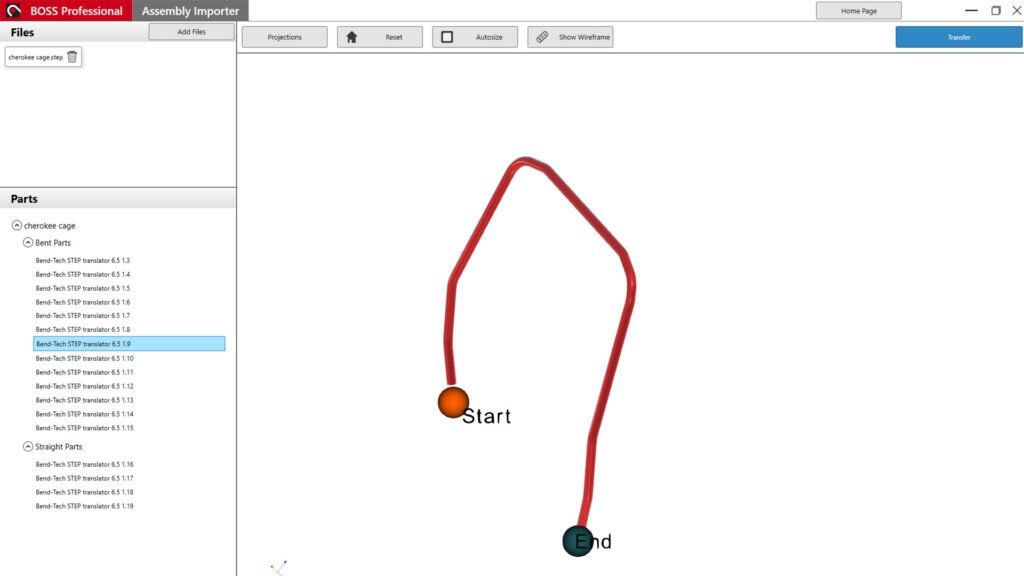
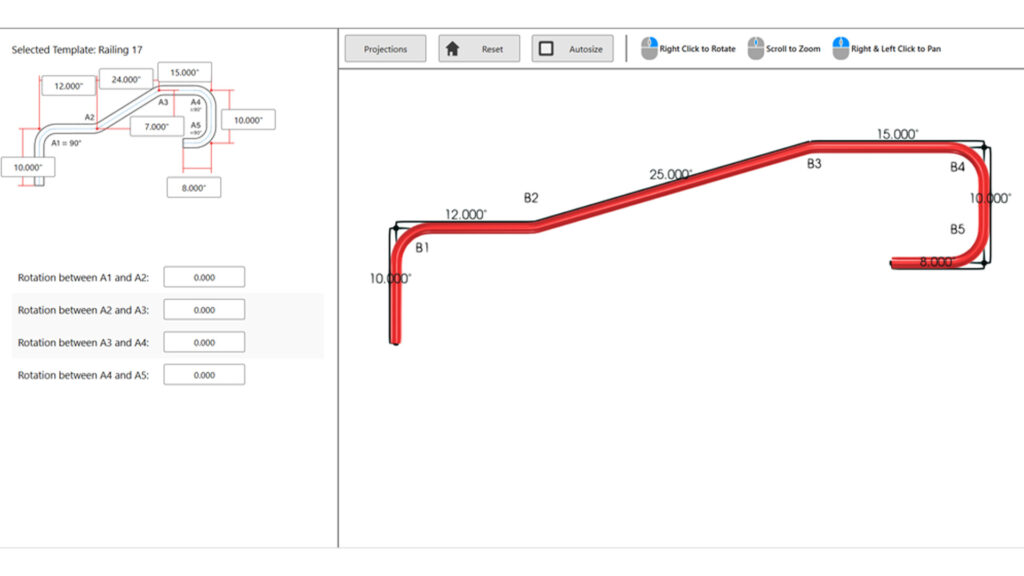
Minimize Programming Time with Four Dedicated Part Design Methods
Purpose-Built Designers. 2D or 3D Parts.
Apex, Tangent, LRA (Length, Rotation, Angle), and Template designers cover the full range of tube geometry. A bend program can be designed within minutes, without any guesswork or workarounds.
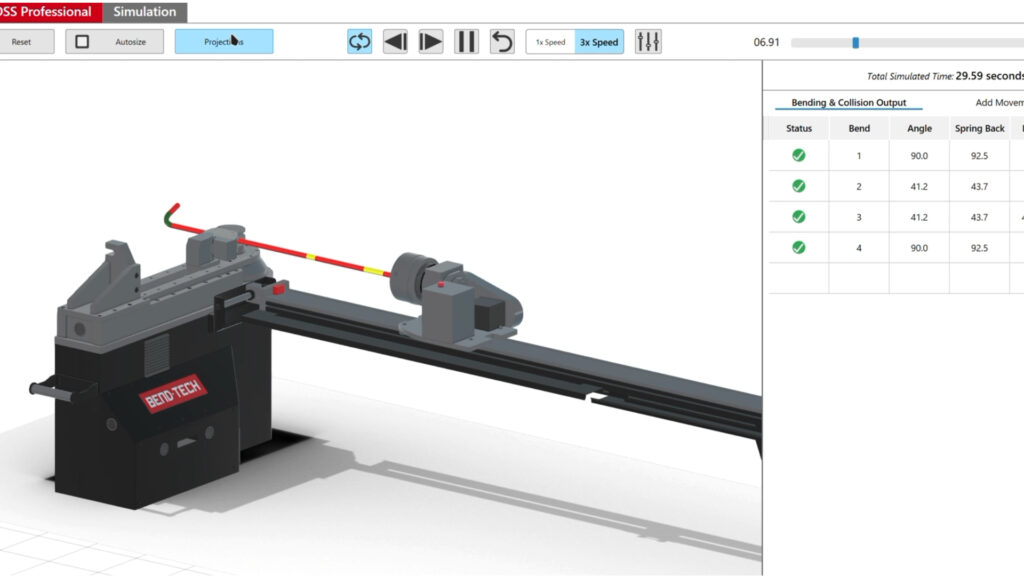
Reduce Scrap and Downtime by Validating with Full 3D Bend Simulation
Full 3D Simulation. Automatic Interference Detection.
BOSS runs a complete 3D simulation of the bend sequence and flags any interference before material is loaded. Pinpointing the exact collision point so corrections happen prior to material being loaded. Less scrap and fewer surprises.
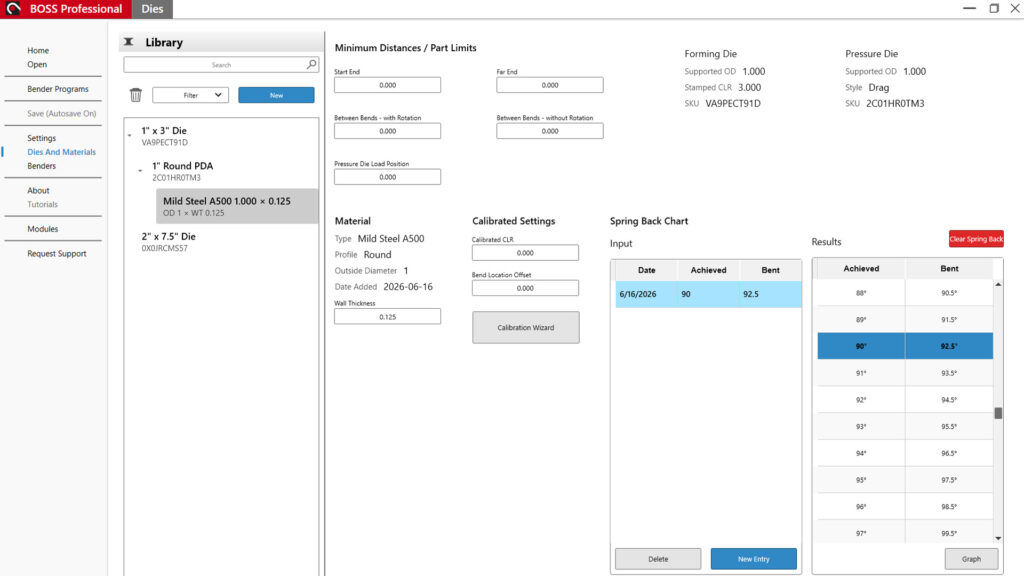
Shorten Setup Time Across Every Job with Stored Bend Parameters
Material and Die Settings. Saved and Applied Automatically.
Store springback values, bend allowances, speeds, and dwells by material and die combination. BOSS applies the settings automatically depending on the material and die chosen for the program. Repeat jobs run exactly the same without re-entering parameters or relying on operator memory.
PB 2000 DC Technical Specifications
|
|
|
|---|---|
|
Round Tube Capacity
|
2 in x 0.125" wall (plain steel)
|
|
Pipe Capacity
|
2 in Sch. 40
|
|
Maximum Bend Degree
|
180° + Springback
|
|
Maximum CLR
|
9 in
|
|
Motor
|
Servo Motors
|
|
CNC Axes
|
4 (X, C, Y, B)
|
|
Rotary Back Gauge
|
Included - 12 ft
|
|
Chuck Passthrough
|
2.4" with Removable Backstop
|
|
Interface
|
15.6" Capacitive Touchscreen with PBCNC
|
|
Control System
|
Mitsubishi FX5S Control System
|
|
Software
|
PBCNC (BOSS Offline available with subscription)
|
|
Warranty
|
1 Year - Machine
|
|
Origin
|
Manufactured in Osceola, Wisconsin
|
Additional specifications available on request. Contact Bend-Tech for material specific capacity and accessory options.
What's Included
- PB 2000 DC Rotary Draw Bender with four CNC axes
- Rotary Back Gauge (12ft)
- 15.6" capacitive touchscreen on adjustable swivel arm
- Industrial foot pedal with emergency stop
- PB CNC software (standard machine controller)
- 1-year machine warranty
Click Here To See All Technical Specifications
|
|
|
|---|---|
|
Bending Capacity
| |
|
Max Round Tube Capacity
|
2.0" x 0.125"
|
|
Max Pipe Capacity
|
2" Schedule 40
|
|
Max CLR
|
9.0"
|
|
Chuck Passthrough
|
2.4"
|
|
PB 2000 DC Dimensions and Weight
| |
|
Machine Weight
|
~ 1,850 LBS
|
|
Footprint Dimensions
|
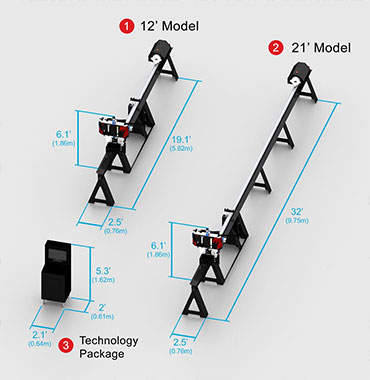
192" (L) x 88" (W) x 52" (H)
|
|
Axis Specification
| |
|
Axis Input Increment
|
0.001"
|
|
Rotary Back Gauge Rail Length
|
144" (12 foot)
|
|
Rotary Back Gauge Travel
|
128.8"
|
|
Pressure Axis (A) Stroke
|
11.75"
|
|
|
|
|---|---|
|
PB 2000 DC Drive System
| |
|
Bend Axis (C) Power
|
Mitsubishi 17amp (4.2kW) Servo Motor
|
|
Pressure Axis (A) Power
|
Mitsubishi 4.7amp (750W) Servo Motor
|
|
Linear Feed Axis (Y) Power
|
Mitsubishi 1.3amp (200W) Servo Motor
|
|
Rotation Feed Axis (B) Power
|
Mitsubishi 3.3amp (750W) Servo Motor
|
|
Bend Axis (C) Speed
|
5.4 Revolutions Per Minute (1944°)
|
|
Pressure Axis (A) Speed
|
75 Inches Per Minute
|
|
Rotation Axis (B) Speed
|
19 Revolutions Per Minute (360°)
|
|
Linear Axis (Y) Speed
|
565 Inches Per Minute (Loaded) 1130 Inches Per Minute (Unloaded)
|
|
Bend Axis (C) Force
|
5,471 ft-lbs (Rated) 16,374 ft-lbs (Peak)
|
|
Pressure Axis (A) Force
|
1100 lb force (Peak) *Varies with cleanliness and lubrication of axis components)
|
|
Rotation Axis (B) Clamping Force
|
Recommended Chuck Key Torque 40 - 50 ft-lbs
|
|
Linear Axis (Y) Force
|
189 lb force (Rated) 654 lb force (Peak)
|
|
|
|
|---|---|
|
PB 2000 DC Control System and Software
| |
|
Controller
|
Mitsubishi FX5S with Bend-Tech PBCNC Interface
|
|
Computer On Machine
|
Advantech TPC-B520L *Subject to Change
|
|
Display Size
|
15.6" Capacitive Touchscreen
|
|
Display Mount
|
Swing Arm with Swivel and Tilt
|
|
Offline Software
|
Bend-Tech BOSS (Available Via Subscription)
|
|
Tooling Type
|
Quick-Change
|
|
Tooling Change Time
|
3-10 Minutes
|
|
Maximum Die Angle
|
180° Achieved Bend Angle
|
|
Pressure Die Style
|
Rollers
|
|
Mandrel
|
Not Available
|
|
Included Dies
|
None
|
|
|
|
|---|---|
|
Electrical and Power Requirements
| |
|
Input Voltage
|
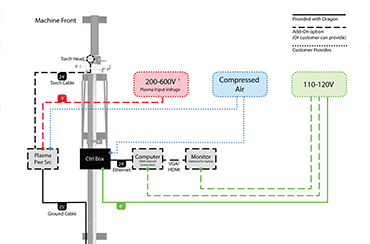
208 - 230 VAC 3-Phase
|
|
Fuse / Breaker Rating
|
50A
|
|
Grounding
|
No Additional Grounding Required Beside the Ground in the Plug
|
|
Electrical Plug
|
CS8365EX
|
|
Electrical Receptacles
|
CS8364C (Cord Mounted) CS8369 (Box Mounted)
|
|
Warranty and Documentation
| |
|
Warranty Period
|
1-Year Parts Warranty
|
|
Provided Documentation
|
Operation Manual, Maintenance Manual, Training Guide
|
|
Training / Service / Support
|
7:00 am to 4:00 pm CST Mon-Fri
|
|
Lead Time(s)
|
Contact Bend-Tech Sales Team
|
Safety at Every Stage of Operation
The PB 2000 DC is equipped with dedicated safety controls designed for production shop environments. Safety features are built into the hardware, the control system, and BOSS Offline before, during, and after each bend.

Emergency Stops
The PB 2000 DC is equipped with three physical emergency stops. These immediately cut power to all motors and stop all machine operation. Emergency stops are located on the foot pedal, machine, and back gauge.

Light Curtain-Ready
The PB 2000 DC includes an empty auxiliary port that supports integration with an external light curtain system. When a light curtain is connected, any interruption of the safety perimeter during machine operation halts all axis movement.
Light curtain hardware is not included – the port accomodates third-party systems where shop environment or regulatory requirements call for a defined safety perimeter.

Pre-Bend Collision Detection
Before any material is loaded, BOSS runs a full collision detection sequence of the bend program, checking for interference between the part geometry, tooling, and machine components. Collision points are flagged with a visual alert marking the exact location.
Identifying a collision during simulation prevents a scenario where machine components make unintended contact during a live bend — protecting both the machine and operator.
Collision Detection available in BOSS Offline.
Manufacturing Warnings
BOSS evaluates each programmed bend against the machine’s mechanical limits and flags parts or bend sequences that fall outside of what the machine can physically produce. Operators receive a warning before attempting a bend that the machine cannot execute as programmed.
This prevents running material into the machine on a program that was never achievable – catching specification errors at the programming stage, not at the machine.
Manufacturing Warnings available in BOSS Offline.
Full Bend Simulation
Every bend sequence can be run through a full 3D simulation in BOSS before production begins. The simulation includes the machine, pressure die, forming die, material, and rotary back gauge, displaying exactly how a bend sequence will execute.
Operators verify setup and sequence accuracy in the simulation before committing material to the machine.
Bend Simulation is available in BOSS Offline.
Deliberate Bend Execution
Bend execution is controlled exclusively through the foot pedal. The touchscreen, where operators adjust settings, review program steps, and monitor axis positions, cannot trigger a bend.
This separation is intentional. An operator with both hands on the touchscreen cannot accidentally initiate machine movement. The foot pedal is the only path to executing a bend cycle.
Backed by the People Who Built It.
1-Year Machine Warranty
Every PB 2000 DC ships with one year of machine warranty. Required components are covered after purchase, protecting the investment and keeping production running.
Complete In-House Machine and Software Support
New machine purchases come with lifetime Bend-Tech support. The Bend-Tech support team is based out of headquarters in Osceola, Wisconsin, allowing close collaboration with the same team designing and manufacturing the machines.
Financing Options Available
Equipment financing available. Ask about options during initial call with a sales executive.
Frequently Asked Questions
How fast can the PB 2000 DC bend?
The PB 2000 DC reaches 90° in 3.5 seconds, with the gearbox running at 5.4RPM. Actual cycle time will vary based on material, die configuration, and part geometry.
What CAD file formats does BOSS support for importing?
Boss Offline Programming software imports the following file formats: .STEP / .STP, .BTPART / .BTBP, and .ENC (requires additional module). STEP file compatibility allows assemblies designed in most major CAD platforms to move directly into BOSS without file conversion.
Is training available?
Yes. Operator training is available both in-house at the Osceola, WI facility and on-site at the customer’s location. Both formats cover machine operation, software programming, and die setup.
Is financing available?
Yes. Bend-Tech works with trusted third-party lenders to offer commercial financing and leasing options for the PB 2000 DC. Terms are designed for equipment buyers and can be structured to fit a range of business needs. Contact Bend-Tech for current financing options, promotions, and to connect with a lending partner.
How does the PB 2000 DC integrate with the Dragon plasma cutting systems?
The PB 2000 DC and BOSS software are designed to integrate directly with the Dragon A400 and A250 CNC Tube and Pipe Plasma Cutters.
Does the bender require a fixed installation or dedicated floor space?
No. The PB 2000 DC is built on a mobile footprint with leveling feet, locking casters, and forklift pockets, allowing the machine to be repositioned without specialized equipment. The rotary back gauge includes quick-disconnect technology and freestanding feet for independent storage and repositioning.
Still Have Questions?
The Bend-Tech sales team is available to answer technical questions, walk through machine capabilities, and help determine if the PB 2000 DC is the right fit for your operation.
Email: sales@bend-tech.com
Phone: 651-257-8715
READY TO STOP BENDING MANUALLY?
Your Competition Still Does This By Hand.
The PB 2000DC delivers full 4-axis CNC automation, BOSS software, and the only cut-to-bend connected workflow in the industry.
US-Based Support | Wisconsin Manufactured | BOSS Software | Rotary Back Gauge Included